• I want to thank all the members that have upgraded your accounts. I truly appreciate your support of the site monetarily. Supporting the site keeps this site up and running as a lot of work daily goes on behind the scenes. Click to Support Signs101 ...

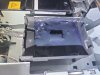
Epson S40600 lot of ink underneath the pad

SLShop

New Member
Today I changed the flushing pad on my S40600 and was shocked to see a lot of ink underneath the pad. It was already very thick and sticky. Shouldn't the printer pump that ink down into the waste tank?
 

Attachments

  • 18cd731e-9801-4712-b7f2-5b33aa3dcd53.jpg
    18cd731e-9801-4712-b7f2-5b33aa3dcd53.jpg
    632.1 KB · Views: 21

SLShop

New Member
When I squeeze the hose at the top, I can feel that something is flowing through it. Is there a pump in between? Otherwise, I would try to suck it out directly from the hose at the waste ink tank using a syringe.

edit
There is no pump up there. Toward the hose there is a small hole where you can carefully insert the cleaning sticks used for printhead cleaning. It’s best to use the green side without the fabric and gently poke around inside. After that, it should start draining again.
 
Last edited:

cmoist

New Member
Its just gravity fed. Clean it out the best you can using lots of swabs and cleaning solution. It should drain directly into the waste bottle.
 
  • Agree
Reactions: 1 user

Evan Gillette

New Member
Yeah you need to put extra cleaning solution or 99% IPA in the pad or it will do this. Clean the tray and make sure the tube is free of obstruction and then keep an eye on it adding fluid when you do maintenance.
 
  • Agree
Reactions: 1 user
Top