• I want to thank all the members that have upgraded your accounts. I truly appreciate your support of the site monetarily. Supporting the site keeps this site up and running as a lot of work daily goes on behind the scenes. Click to Support Signs101 ...

Roland LEC-330 Service Motor Error 0080 and 0010

adamfromayr

New Member
I have a Roland LEC-330 And was wondering if anyone’s knows why I got the error code

Service Motor Error 0080 and 0010 it stopped whilst in the middle of a print, and I was sanding a bit of furniture in my back garden, so im not sure if the dust got in there and damage it somehow?


I DID Read the other post but its always good to get new opinions, I think

I have been trying this:


Pushing it while the printer is off

Pushing it manually forward it will move easily for say 4-5cm then gets stiff and requires a fair bit more strength

I also have another newer Roland and different model etc and t moves manually very easily


Im just wondering if anyone knows for sure? Or a good idea what its most likely to be?


I’m thinking in order

Motor is jammed inside maybe needs to be oiled or replaced?

Loose belt?

Linear Carriages?


Thanks
 

Joe House

Sign Equipment Technician
If it's physically jamming, the limit position isn't the issue. Start taking off covers and see if you can see anything obvious. Next, I would separate the cut carriage from the print carriage and try the sliding test. If the problem is gone, you have an issue with the print carriage bearings. If it's still sticking, then I'd loosen the motor and disengage it from the gear. Repeat the sliding test, if it slides easily, your motor or the gear was the problem. Inspect both - while not strictly necessary, I always replace the gear and pulleys when replacing the motor. If you still have a problem, then it's the cut carriage bearing or the pulleys. You'll have to remove the belt from the carriage to determine which, but then you'll need to make sure that tracking and belt tension are spot on when you put things back together. You might want to get a tech for this as you have to measure the belt tension with a scale, that most people don't have.

Good luck
 
  • Agree
Reactions: 1 user

adamfromayr

New Member
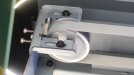
P U L L E Y gear and oily screws!

& B E L T


Okay guys was it me? or the previous owner

BELT Pulley holder has some small screws and look like they were oily!


Here is some things i did to help others!

cleaned the linear rail with a scotch brite pad green

Isopropyl alcohol the liner rails then used a dry clean cloth
cleaned the belt

Still issues!
so took of pulley device screws looked oily so washed them all with washing up liquid to remove the oily substance
dried them all
used small LOCTITE On screws
TIGHTENED THEM ALL UP
DONE:

Limit Position Initialization proceedure tHANKS Joseph44708

NOW SHE IS 100% AGAIN

So what was the cause?

It was the Belt pulley gear on the left hand side and if those screws are loose or had oil on them also the

It was a little bent, screws loosened, = the issues i had

So anyone else ever have this issue also check the Belt pulley gear on the left hand side mine was a little dirty oil around there etc that all needs to be bone dry

Thanks to you also Joe House


adamfromayr

New Member
I just about got this printer working 100% but them BOOOOOM!

Error 0800 again

So after reading others issues i noticed the Cut carriage was much stiffer in as it would move say 5cm them become stiff again and another 5cm smooth then stiff again so no wonder i had issues

So i go into my attic a bit smug knowing i had some XC-540 Rails and blocks and brought them down, TO COMPARE: Night and day super smooth, i was excited as i knew i only had to swap them over

WRONG SIZE Bumber!

So now i need some OEM Linear blocks for a LEC-330 Does anyone have any?

No wonder the printer had issues, check out this naughty old block!

Do you know if there is bearings missing on this block? looks like some are missing but I'm not sure if thats normal one the OEM ones?
 

Attachments

  • DSC06366.jpg
    3.2 MB · Views: 7
  • DSC06364.jpg
    3.3 MB · Views: 5
  • DSC06365.jpg
    3.2 MB · Views: 2

damonCA21

Active Member
Yes there are balls missing. There should be a small gap about the size one one ball, but not as big as that
 

adamfromayr

New Member
Dam this printer

Had it printing ok for a few prints

But got that error

Just changed the Bearing block as had a few new THK ones here

Cant set up the encoder strip now

Done scan ageing etc but cant set up the encoder, keeps failing

So ive just changed the encoder stip i had a brand new one and now each time i try to set up the encoder strip

The carriage flys very fast and bangs into the print carriage and keep getting the error 0010 0010

and sometimes just says encoder set up failed!

Yet its a brand-new encoder strip, saying the exact same thing

Dam i had it printing well but the CUT Bearing block was bad and replaced now its moving much smoother but i cant get by the encoder set up now

Used one and a new one does the same thing

Cleaned the sensor a few times, reseated the encoder strip a few times

I Had it working, but scan motor error so the bearing blocks been replaced and is very smooth now just the encoder set up i cant get passed :(
 

LizKeenan

New Member
I believe we had our tech do something in the diagnostic panel. You get have to hold down some buttons at the same time for it to pop up. I don’t remember exactly what we did but we essentially got the cutter to disengage, then moved to from one side of the printer to the other until it clicked then moved it back. It worked after that. Maybe bidirectional adjustment.
 

adamfromayr

New Member
Hey guys i had a very bad THK Bearing block i removed that

Then replaced with a new one on the cut carriage, used some special grease

Then i had issues with the limit initialization, so i swapped the encoder strip

Again it took so many attempts but i finally after several hours got it working properly, it did keep coming up: limit initialization failed

A full days work to change the bearing block, encoder strip and setting it all back up again

I think the problem will be resolved now

Before The cut carriage before would move around freely 3cm then get stiff, inside the bearing block was hard grime and had bearings missing also

Working on the printers is very stressful as one wrong move could result in damaging very expensive parts!

But i think im there now!


Thanks for all the help and replies
 
  • Agree
Reactions: 1 user
Top