• I want to thank all the members that have upgraded your accounts. I truly appreciate your support of the site monetarily. Supporting the site keeps this site up and running as a lot of work daily goes on behind the scenes. Click to Support Signs101 ...

Roland VG VG2 TR2 Cartridge Ink Levels All Show Near Empty on VersaWorks and DG Connect Status

graphicsphere

New Member
Hi I have a customer I'm selling a Roland VG-540 Printer to next week and I want to make sure the ink level status is correct before selling them the printer.

I have verified there is plenty of ink in the TR2 pouches almost 90% full but still all cartridges are showing near empty on the latest version of VersaWorks 7 and DG Connect Status.

I also have a VG2-540 and same thing. It shows near empty on some cartridges even though the TR2 cartridges are more than 90% full.

What is the cause of this and how do I make the ink level status update correctly or is there something else I have to do when changing out a TR2 ink cartridge? Is there a sensor check I can try? Is there a reset setting?
 

Attachments

  • Screenshot 2026-04-11 at 1.44.11 PM.png
    Screenshot 2026-04-11 at 1.44.11 PM.png
    61.9 KB · Views: 13
  • Screenshot 2026-04-11 at 1.59.47 PM.png
    Screenshot 2026-04-11 at 1.59.47 PM.png
    1.8 MB · Views: 11
Pull the cartridges and Shut the printer off completely at the main power switch. Turn the printer back on and wait for it to ask for the ink cartridges. This may solve your issue otherwise you really do not need to worry about it.
The VG Will trigger the empty from the arm and above the ink bags The VG2 will do it at the field damp sensors.
 

graphicsphere

New Member
Still the same ink levels after following your instructions. I checked the cartridges in the menu and they are reading all the chips.

Can you explain why when I do a IC Check I get the same slot 1 error on all of my different Roland printers?

Do you have instructions on what the IC Check is and how your suppose to do an IC Check?
 
Turn off at sub power.
Press and hold down up and down arrows, then press sub power button.
You will be in sensor check mode.
Right arrow and you will see th3 cartridge #’s.
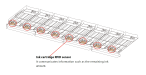
A ‘C’ indicates the cartridge is inserted, If not, there is a problem with the sensor.
there is a small trick to possibly remedy.
right arrow and you will see the fill damper sensor indicators.
 
What is IC Check? Why does it show error Slot 1 every time I hit enter?
I/C check:

Turn off at sub power.
Press and hold down up and down arrows, then press sub power button.
You will be in sensor check mode.
Right arrow and you will see th3 cartridge #’s.
A ‘C’ indicates the cartridge is inserted, If not, there is a problem with the sensor.
there is a small trick to possibly remedy.
right arrow and you will see the fill damper sensor indicators.
 
Top