Yeah printheads are a1 tests ste perfect, I dont know how much lower it can go its almost touching the media lolPrinthead is too high even in low... Dont know that machine, but in mutoh we have 2 excentrical nuts on the carriage to adjust properly. Make a new profile too using just small dots too. And try other media too, static can be affecting too. The printhead test is ok or shows deflected noozles?

-
I want to thank all the members that have upgraded your accounts. I truly appreciate your support of the site monetarily. Supporting the site keeps this site up and running as a lot of work daily goes on behind the scenes. Click to Support Signs101 ...
You are using an out of date browser. It may not display this or other websites correctly.
You should upgrade or use an alternative browser.
You should upgrade or use an alternative browser.
XG - 640 is this within spec? no way right?
- Thread starter Micheal
- Start date
Should be arround 1.5mm. But looking ur images looks muuuch higher. Do u have any fan pointing there? In unidirectionals prints without any spraying? If it prints ok in unidirectional, make the carriage to move to the end of media each time instead of to the end of the image, that should be faster in bidir that lowering CPS or going unidir. Thing that when printhead spit inks, theres a cloud of ink dots below it. If static electricity, a fan, or the carriage direction is changing before ink gets to the media, it will spray like in the photos. Ideal humidity is about 50 too, but depends much on the media and its storage.
Wait, i didnt read this before. If in low quality banner prints ok, the problem is on the pagerank on the printhead. Its using too much voltage for printing small dots. In low quality banner we usually only use big dots, so i guess that the problem is just only when using small dots. I dont know how to adjust that on a Roland. In mutoh the printhead has a little label with a code that says the mainboard how much voltage to use for small and big dots. Maybe they didnt entered that code. Or look for any voltage adjustment on the service menu and try to lower it for small dots. If voltage is too high the ink will bubble and will spray like in the photosI agree, it didn't make much sense to me either. He has been trying his best and very helpful. I just don't understand how low quality means better when on every other machine ive used thats not how it worked.
If i slow my machine way down from 900 to 400, i get OK results in uni but not perfect however that's snail speed.
I will mention that to tech see what he thinks.Wait, i didnt read this before. If in low quality banner prints ok, the problem is on the pagerank on the printhead. Its using too much voltage for printing small dots. In low quality banner we usually only use big dots, so i guess that the problem is just only when using small dots. I dont know how to adjust that on a Roland. In mutoh the printhead has a little label with a code that says the mainboard how much voltage to use for small and big dots. Maybe they didnt entered that code. Or look for any voltage adjustment on the service menu and try to lower it for small dots. If voltage is too high the ink will bubble and will spray like in the photos
Media i go through a roll every couple of days so i dont think its media storage its all fresh
I am in a basement so i think humidity is OK, on this printer I cant only get into very basic setting the tech locks it out need to login online to access it
I can, but definitely not this year, because i wont be in the showroom. It's over two hours drive away.Can you do a test print for me?
ok perfect, please PM me your info if you dont mind I can contact you by email or facebook and send you the file for the new year - thank you very much!I can, but definitely not this year, because i wont be in the showroom. It's over two hours drive away.
Manuel Upton
New Member
I see a lot of hair and dust in the test print photos. Could that be sticking to the bottom of the heads and causing the "overspray"?

Brian with Walker
New Member
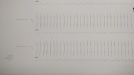
Please print the M-gap test print. It determines the distance and ink drop alignment between the Print heads and the surface of the media. This is done in user mode and can be fine-tuned in service mode.
Brian with Walker
New Member
Manual Adjustment: Adjusting the Misalignment of the Ink Landing Position (Media Gap Adjustment)
This adjusts the landing position of the ink discharged from the print heads. The landing position varies according to the print head height and the thickness of the media, so we recommend that you ...
Yeah I have done this, about 100 times I line them up the best i can using a loupe but after doing that the best quality I get is in banner more and I have to reduce the head speed.Please print the M-gap test print. It determines the distance and ink drop alignment between the Print heads and the surface of the media. This is done in user mode and can be fine-tuned in service mode.
View attachment 180240
I see slight overspray everywhere