• I want to thank all the members that have upgraded your accounts. I truly appreciate your support of the site monetarily. Supporting the site keeps this site up and running as a lot of work daily goes on behind the scenes. Click to Support Signs101 ...

Aerial map of city

Stacey K

I like making signs
Customer is looking for an aerial map of the city to use to mark off snowplow areas 48"x48" - so pretty large. Google maps is too blurry when you increase the size. I found an aerial map that is 2 years old but it's an actual photo. There's one business not on it. I said I could just zoom in on Google maps and add it as a sticker over the top and do that every year if driveways change or businesses add on. Now he tells me I should check on On X hunting map. Well, I did and same issue, when you zoom out far enough to get a screen shot and upload it, it's blurry, really blurry. I can't just fly in the air and take a photo of a city. I paid $25 from an online airplane company that does nice aerial shots every couple years. The print is very clear and easy to read but they don't fly over every city every year. The file was massive so I had to download some special app in order to even see the photo.

Any ideas? They are using dry erase markers on it, cities change daily, it's impossible to have a completely updated map...or am I missing something?

I'm going to meet with them Monday with the print and I may need to just reprint it with adding that business.
 
Last edited:

Texas_Signmaker

Very Active Signmaker
google maps can lag by a year or two as well. you can try you county appraisal district, some take their own airplane shots more frequently. download google earth (desktop application). It will allow you to save as high resolution jpg
 
  • Agree
  • Informative
Reactions: 1 users

Stacey K

I like making signs
google maps can lag by a year or two as well. you can try you county appraisal district, some take their own airplane shots more frequently. download google earth (desktop application). It will allow you to save as high resolution jpg
good grief, that should work! Thanks!
 

Vohaul

New Member
Customer is looking for an aerial map of the city to use to mark off snowplow areas 48"x48" - so pretty large. Google maps is too blurry when you increase the size. I found an aerial map that is 2 years old but it's an actual photo. There's one business not on it. I said I could just zoom in on Google maps and add it as a sticker over the top and do that every year if driveways change or businesses add on. Now he tells me I should check on On X hunting map. Well, I did and same issue, when you zoom out far enough to get a screen shot and upload it, it's blurry, really blurry. I can't just fly in the air and take a photo of a city. I paid $25 from an online airplane company that does nice aerial shots every couple years. The print is very clear and easy to read but they don't fly over every city every year. The file was massive so I had to download some special app in order to even see the photo.

Any ideas? They are using dry erase markers on it, cities change daily, it's impossible to have a completely updated map...or am I missing something?

I'm going to meet with them Monday with the print and I may need to just reprint it with adding that business.
I had to do this once….
I downloaded google earth … divided my city into overlapping tiles… and Google earth lets me choose the resolution, choose the highest resolution and download the map…. So for higher resolution, just break it down into smaller tiles, if that makes sense…

Then just use photoshop / illustrator / Corel etc. to reassemble /stitch the map back together

It takes a bit, but in the end, you get a nice high resolution map…

Cheers

Paul
 
  • Agree
Reactions: 1 user

somcalmetim

New Member
Topaz Gigapixel Ai is actually pretty great at scaling photos...it does a pretty good job actually "AI" reconstructing/adding detail better than any "upscaler" I've tried in past...if you let it get too "creative" it will just make things up but it does a pretty good job sharpening lines and adding detail/resolution back into photos...I crank the creativity to max sometimes and it will make some crazy stuff sometimes...

1767403557422.png
 
  • Agree
Reactions: 1 user

MikePro

Active Member
when we've done this in the past, for campus-wide install location planning, i just zoomed in on googlemaps and stitched sections of highres screenshots together
&inserting into a grid of clipping masks.

its a shame that this process hasn't already been streamlined given the amount of driving/map apps out there for simplified renderings ....as google wants to overlay businesses/landmarks that i'd rather omit without clearing streetnames.
 
  • Agree
Reactions: 1 users

somcalmetim

New Member
You can get your own satelitte imagery from a company called Skyfi
Not sure how much it costs but you can actually task a satellite to look at whatever you want...
1767409951954.png
 
  • Agree
Reactions: 1 user

Smoke_Jaguar

Man who touches printers inappropriately.
CalTopo offers some nice options, also exporting tools for printable images and rights sourcing. We use them and have had good luck.
 

Bobby H

Arial Sucks.
I think Bing Maps is a better choice to use for creating source images to use in making new maps. The satellite images are not barrel distorted (like they are in Google Earth). You can un-check the "details" option to remove all the labels, highway markers, etc so you're left with just the satellite image. Zoom into a tight enough level and just start taking screen shots. Paste the screen shots into Photoshop and manually stitch the images together. It's pretty easy to create a pretty high resolution source image.
 
  • Agree
Reactions: 1 user

tulsagraphics

New Member
Customer is looking for an aerial map of the city to use to mark off snowplow areas 48"x48" - so pretty large. Google maps is too blurry when you increase the size. I found an aerial map that is 2 years old but it's an actual photo. There's one business not on it. I said I could just zoom in on Google maps and add it as a sticker over the top and do that every year if driveways change or businesses add on. Now he tells me I should check on On X hunting map. Well, I did and same issue, when you zoom out far enough to get a screen shot and upload it, it's blurry, really blurry. I can't just fly in the air and take a photo of a city. I paid $25 from an online airplane company that does nice aerial shots every couple years. The print is very clear and easy to read but they don't fly over every city every year. The file was massive so I had to download some special app in order to even see the photo.

Any ideas? They are using dry erase markers on it, cities change daily, it's impossible to have a completely updated map...or am I missing something?

I'm going to meet with them Monday with the print and I may need to just reprint it with adding that business.
There are various (commercial) satellite photo providers out there too. SpyMeSat, Apollo, LandViewer, XRtech, etc. Some are just aggregators, and some are more focused on things like terrain or radar or whatever -- but might be worth checking out if you're doing a lot of work like this. FWIW: I haven't used these systems in a long time -- YMMV
 
  • Agree
Reactions: 1 user

Stacey K

I like making signs
Thanks everyone! I think Google Earth will work OK for this project. It's the first time anyone ever asked for something like this. Who knows, maybe if I post a pic on my FB page I'll get more calls from all the snow plow guys in the area for maps! LOL
 

JBurton

Signtologist
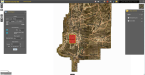
Find your county's GIS map, it'll allow you to export at different DPI's and scales. Should make such a task child's play. Here's the options for ours, the result unzoomed, and the result zoomed:
1767621142639.png

1767626230823.png 1767626332403.png
 

JBurton

Signtologist
Also, our GIS is funded by the state for the taxpayers' use, and the satellite photos are more recent than google maps. Your mileage may vary in regard to cost.
 
  • Informative
Reactions: 1 user

Stacey K

I like making signs
Find your county's GIS map, it'll allow you to export at different DPI's and scales. Should make such a task child's play. Here's the options for ours, the result unzoomed, and the result zoomed:
This is perfect! I talked to him Friday. We will do a large map of the city 4'x4' then smaller ones that are 8"x10" of individual properties so they can use dry erase markers to mark where the snow should go. I just need to figure out property lines but it's only been 1 minute so I should be able to LOL
This is what I envision they will do...
1767627046455.png
 
  • Agree
Reactions: 1 user

JBurton

Signtologist
I just need to figure out property lines but it's only been 1 minute so I should be able to LOL
Yup, I'm not sure if you'd be looking for parcels or lot lines, but it should be all there! Or at least, if Arkansas can manage that much, I'm guessing every state can.
 

Boudica

I'm here for Educational Purposes
Customer is looking for an aerial map of the city to use to mark off snowplow areas 48"x48" - so pretty large. Google maps is too blurry when you increase the size. I found an aerial map that is 2 years old but it's an actual photo. There's one business not on it. I said I could just zoom in on Google maps and add it as a sticker over the top and do that every year if driveways change or businesses add on. Now he tells me I should check on On X hunting map. Well, I did and same issue, when you zoom out far enough to get a screen shot and upload it, it's blurry, really blurry. I can't just fly in the air and take a photo of a city. I paid $25 from an online airplane company that does nice aerial shots every couple years. The print is very clear and easy to read but they don't fly over every city every year. The file was massive so I had to download some special app in order to even see the photo.

Any ideas? They are using dry erase markers on it, cities change daily, it's impossible to have a completely updated map...or am I missing something?

I'm going to meet with them Monday with the print and I may need to just reprint it with adding that business.
I haven't read this whole thread yet, but do you know anyone with a drone? ...and knows how to use it to take pictures? Realtors use drone photographers a lot as of late, to show aerial shots of homes for sale, especially when it's a large lot or property.
 

Stacey K

I like making signs
I haven't read this whole thread yet, but do you know anyone with a drone? ...and knows how to use it to take pictures? Realtors use drone photographers a lot as of late, to show aerial shots of homes for sale, especially when it's a large lot or property.
I think the GIS map will work perfectly for the individual properties. It's the overview that is the issue. Even saving from GIS or Google Earth, blowing it up to 4'x4' it's blurry. I'm thinking the best thing might be to use the photo I have and stitch in "newly built" buildings over the top. Otherwise, I'm doing what MikePro said and stitching together map areas into one photo. For the individual ones the GIS will work since it shows the lot lines.
 
  • Agree
Reactions: 1 user

Boudica

I'm here for Educational Purposes
I think the GIS map will work perfectly for the individual properties. It's the overview that is the issue. Even saving from GIS or Google Earth, blowing it up to 4'x4' it's blurry. I'm thinking the best thing might be to use the photo I have and stitch in "newly built" buildings over the top. Otherwise, I'm doing what MikePro said and stitching together map areas into one photo. For the individual ones the GIS will work since it shows the lot lines.
I've actually done the stitching thing quite a few times. It's a great workaround.
 
  • Agree
Reactions: 1 user
Top