
• I want to thank all the members that have upgraded your accounts. I truly appreciate your support of the site monetarily. Supporting the site keeps this site up and running as a lot of work daily goes on behind the scenes. Click to Support Signs101 ...

BN-20 ink cartridge error

Morepork

New Member
Hi folks,

First-time poster here. I inherited a BN-20 about six months ago and have been gradually cleaning and repairing it. Yes, I know what you're all thinking—I heard all the warnings! But I figured it would be a fun challenge: nothing ventured, nothing gained. After a complete strip-down and clean, I've replaced the print head, installed new dampers, cleaned or replaced the ink tubing, fitted a new cap top, new wipers, and generally refreshed everything I could. However, when I power the machine up, I get an Ink Cartridge Error on all cartridges except the white channel. The cartridges I'm using are brand-new genuine Roland Eco-Sol MAX 2 cartridges. I've tried all the options available in the BN-20 Utility, but nothing seems to make any difference.

Does the Roland Service Application provide any additional diagnostic functions beyond what's available in the Utility? If so, would anyone be willing to share a copy of the Service Application and/or the service manual? Also, if anyone has encountered a similar issue or has suggestions on what to check next, I'd really appreciate the advice.

Thanks in advance!
 

RedSigns.co.uk

New Member
I think the BN20 can use max 2 or 3 inks, perhaps yours is set for max 3 . The white is different it would accept max 2 ink when the others are max 3. My Vs300i is the same
 

Morepork

New Member
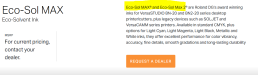
Many thanks for the reply. Is it possible that max 2 ink need to be switched like the max 3? If so how? Before I purchased the inks I check the roland website. Here's a sceenshot.

1783320691583.png
 

RedSigns.co.uk

New Member
I checked on digiprint site for compatablity . You could swap to max 3 ink , but that would be new cartridges !!! . What cartridges did it come with ?
 

Morepork

New Member
Thanks again. How do I get the printer into service mode or do I need the service app? BTW you where right. I put a little Kapton tape over the sensor and detected there was a cartridge installed. Even though some roland publication say max 2 is comaptable clearly it not - at least in my machine.

I have max 1 ink on it way but in the meantime I've managed to fill the tank and a few other checks. Unforturnately I now have another problem which I have created a new thread for.
 

cornholio

New Member
The BN-20 is compatible with MAX1, 2 and 3 ink. (Max2 gives the longest head life, without the white or metallic bs of course)
The ink type is set at setup via the user utility.
You could try to do a "pump up" or "head wash". That should set the ink type to unknown and let you select the type during the next start. (This is the normal behaviour of all other Roland printers... BN-20 might be different. I never tried it myself.)
Of course, it's always a good idea to have the service app to check and set parameters.
 
Top