• I want to thank all the members that have upgraded your accounts. I truly appreciate your support of the site monetarily. Supporting the site keeps this site up and running as a lot of work daily goes on behind the scenes. Click to Support Signs101 ...

nicktheawesome

New Member
Hello, I'm hoping that somebody will be able to help me. My shop is mainly a commercial wrap shop, wrapping and lettering commercial vehicles, but we aim for more high end work versus high volume work.

We have had HP Latex printers, a 330 and a 560, for years, and they generally work pretty great. HP Support is a little difficult, so when it was time to buy a new machine for our shop, we looked at a few but decided to go with the Canon M-Series M3W Pro, because of the colors and color consistency, and to have an easier white ink available. We are an Avery shop, primarily.

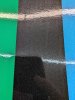
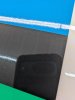
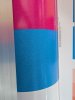
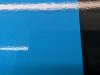
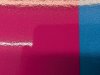
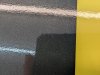
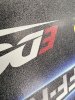
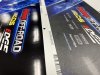
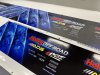
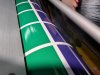
We got this printer 3 months ago, and have issue after issue with it, so I am hoping somebody here has a bit more familiarity with it and can help me make this printer work - it was a LOT of money!! I cannot get this printer to print gloss effectively on Avery 1105 vinyl. Because we do a lot of wraps, everything is laminated, but the texture of the print means that I have constant heavy silvering at the end. This happens less with 3M, but it also doesn't look nearly as nice as my old HP printers either. Even before laminating, the print does not look glossy and nice like all the sample prints I had seen - you can see it especially well in the blue - that white is the vinyl showing through because of inconsistent ink placement. I have tried multiple Canon made profiles for Avery 1105, and we've made our own when the dealer was here with an Xrite spectrophotometer to build a custom one - everything looks washed out, and everything has the texture to it.

My dealer doesn't seem to have very much familiarity with the Colorado, so they are saying that this is just how the printer is; UV ink is on top of the vinyl, so of course there is a texture to it, at least that is what they told us at the initial install. I believed it, until I saw a different M-series that had a super glossy print coming right out of the printer, almost like it was already laminated! None of my prints look anything like that, so I feel there must be something wrong with the machine. Two different people at the dealer also have said conflicting information about the printer - more passes = more gloss, and more ink = more texture; but both of these statements cannot be true at the same time.

Another issue we've had with the Canon is color output. Everywhere I saw before purchasing the machine is that this Canon can do very consistent, very good color. My colors are not particularly intense when I see them, and my 12 year old 330 makes a more intense red than the Colorado! This is extra ironic because Colorado means red in Spanish, and this machine cannot make a decent red. I can get orange, brown, and pink! But something I would call red, like a Pantone 185 or 186, or try to match Carmine Red? Looks pretty bad!

Lastly, the ink. This printer DRINKS ink, I cannot believe it. I've had it 3 months, and I've had to use 3.709 liters of ink to print 3,802.03 sqft, based on the printer's own counter. I've had to order refills already, and I've been using my old (reliable and consistent) HPs 95% of the time.

Does anybody have experience with the Colorado and Avery vinyl? Or the Colorado and wrapping? So many people talk about this printer like it is a game changer, but the only way our game has changed is that now I get annoyed every day!

 

Attachments

  • PXL_20260326_215542912.jpg
    PXL_20260326_215542912.jpg
    2.9 MB · Views: 64
  • PXL_20260326_215545705.jpg
    PXL_20260326_215545705.jpg
    3.1 MB · Views: 59
  • PXL_20260327_132822299.jpg
    PXL_20260327_132822299.jpg
    4.3 MB · Views: 58
  • PXL_20260327_135731502.jpg
    PXL_20260327_135731502.jpg
    2.1 MB · Views: 62

victor bogdanov

Active Member
There is something wrong with your material. try a new batch.


on ink use: you should not buy a Colorado if you print 4k sq ft in 3 months. You need to be doing that every other day for the printer to make sense
 
  • Agree
Reactions: 1 users

nicktheawesome

New Member
Thank you for your reply and help!

I print a lot more than that, probably like 10-15k sqft a month. It's just that in the 3 months I've had the printer, that's all I've managed to print and still use that much ink. I've been running the old HPs heavily, I'm glad I didn't retire one or both of them!

Regarding the material - Canon also said it was the material. But this isn't like it has been one roll that doesn't print right, we go through dozens of Avery rolls so it's easy to swap for a different roll, I've tried at least 5 or 6 different rolls. Can I print on Avery and other materials, or is the printer mainly a 3M printer?
 

nicktheawesome

New Member
I don't actually know that about the batch numbers specifically, but that's a good thought that nobody had mentioned before so I really appreciate you bringing it up. It has been over multiple months so I figured it would be different lots but I haven't actually checked that but I can pay attention to it in the future.

Do you have a Colorado? What do you print on? Can you get good gloss and good color? How is your red? I feel ridiculous asking these questions, but I've really been struggling here to get a better print than my old printers.
 

victor bogdanov

Active Member
Do you have a Colorado? What do you print on? Can you get good gloss and good color? How is your red? I feel ridiculous asking these questions, but I've really been struggling here to get a better print than my old printers.
Yes I have a Colorado, prints great on every material I have printed on, probably 50+ different materials. Colors very good. Gloss is amazing even if printed on matte vinyl in gloss mode

I have seen a similar problem to your prints if a roll sits out for a while, (few days or more), the first couple of winds of the roll that were exposed to the air (maybe moisture) will print the same way as in your photos. Only seems to happen on higher end gloss vinyl. Cheap or matte stuff does not seem to be affected
 
  • Agree
Reactions: 1 users

nicktheawesome

New Member
Yes I have a Colorado, prints great on every material I have printed on, probably 50+ different materials. Colors very good. Gloss is amazing even if printed on matte vinyl in gloss mode

I have seen a similar problem to your prints if a roll sits out for a while, (few days or more), the first couple of winds of the roll that were exposed to the air (maybe moisture) will print the same way as in your photos. Only seems to happen on higher end gloss vinyl. Cheap or matte stuff does not seem to be affected
That is also interesting! I have definitely used rolls that have sat out. I've used brand new ones too, but many rolls are swapped rolls, and we've generally only printed on higher end material, very little cheap material. The cheapest material I've printed on is either Avery 2105 or Briteline clear, but I don't know if that really counts either. Everything gets a cast laminate as well.

Nothing I print is exceptionally glossy. The best it'll do is the Canon test paper but even that isn't super smooth. Can you laminate your prints? If so, what are your settings? What material?

Thank you for your time, I really appreciate you!
 

Joseph44708

I Drink And I Know Things
I'm running a Colorado with Flexi and all different brands of vinyl (GeneralFormulations, Avery, Orcal, 3M, Kapco Window Perf, Magnum Magnet) all different thicknesses and only had your problem twice.
Solid Black was designed in CMYK, changed it to 100% Black and it fixed that problem.
Then once I forgot to set the media thickness in Driver options after printing Magnet material, changed thickness from 799 to 280 and that fixed the problem.
 

signheremd

New Member
We don't have a Colorado, but do have a Mimaki UCJV330 UV roll printer and a FluidColor UV Flatbed printer and used to have a CET Flatbed UV printer. Silvering is normal, especially with cold lamination, and will go away after a few days of heating and contracting. Some laminates work better than others with UV ink prints - in particular Arlon 3220 Gloss Laminate and Briteline WrapCast Optically Clear Overlaminate - optically clear laminates work better (consider Arlon 3220 and the Briteline Optically Clear the same thing) because they tend to have an adhesive that is soft and "flows" better into uneven surfaces. Online Arlon 3220 is rated the best premium laminate for UV inks.

Arlon gives a bit of info on laminating UV inks (but does not make the claim to offer the best laminate for same) which is worth reading: https://www.arlon.com/na_en/support/tips-and-tricks/55-what-is-silvering

As to the picture of your first print, that looks like you are printing at draft speed on have a static issue. I would consider a calibration check worthwhile as that could cause a similar look. UV printers differ in smoothness of the ink. UV curing synchronization to ink printing causes different effects. Our Mimaki uses lights before and immediately after ink and the prints come out somewhat dull, but once laminated become rich in color. Our FluidColor allows use to turn the lamps on before ink (glossy printing), or after ink (higher resolution as inks are dried sooner), or both before and after (complete curing during fast printing). The Mimaki uses both and does not seem to give you any option to change. I don't know if the Colorado allows you to adjust when the light comes on, but would guess that the glossy printing they can do is with lights on before ink (warms the area and inks flows together more before the light comes back through and curse them).

Like I say, we don't have a Colorado but do understand UV printing. We do use mainly Avery MPI1105 vinyl, but have tried a host of others. Never had any name brand vinyl that printed poorly. I hope some of these ideas can help you track down the issue.
 

victor bogdanov

Active Member
I don't know if the Colorado allows you to adjust when the light comes on, but would guess that the glossy printing they can do is with lights on before ink (warms the area and inks flows together more before the light comes back through and curse them).

Like I say, we don't have a Colorado but do understand UV printing. We do use mainly Avery MPI1105 vinyl, but have tried a host of others. Never had any name brand vinyl that printed poorly. I hope some of these ideas can help you track down the issue.
Colorado UV Gel is a bit different than your standard UV and curing carriage is separate from the head carriage allowing for gloss or matte printing as well as flxfinish (both matte an gloss at the same time)
 
  • Agree
Reactions: 1 user

MarkSnelling

Mark Snelling - Hasco Graphics
I've sold dozens of Colorados and don't have this issue with anyone. I agree with Victor - this might be some older material. The Colorado is not designed for "3M" or "Avery"...I've got customers who blow through cast vinyl and they use either. The way the ink is collecting on the surface tells me something is likely wrong with the film as well. I also rarely ever see any silvering on UV Gel ink. A tip to reduce it would be to run your laminator around 120 degrees. But the fact you are getting a lot of silvering when laminating is a bit odd. You are always welcome to call me to talk it through. Did you buy the unit direct from Canon or through a reseller?
 

Grizzly

It’s all about your print!
more passes = more gloss, and more ink = more texture;
This isn't true. Less passes = more gloss, more passes = more even gloss but not glossier, more ink can mean more texture but printing slower can lead to less texture. If you're printing full coverage areas you shouldn't really see texture. It's definitely more than solvent but the Colorado Ink is relatively smooth comparative to traditional uv ink.
This does seem more like a profile issue but the fact you've made your own and it still is happening seems weird. I know I've seen where specialty and high quality print great but premium prints like that. I have had those exact issues on other cast materials. Mactac and General Formulations both had those issues in the photos you show. Same file on 3M180 and it's a really smooth finish. Change to GF and it looks like the ink is separating and causing those white dots.
You shouldn't have to since it should already be set in the file, but try adjusting the platen temperature to something extreme like 32-36 and see what happens. Test on multiple print modes and see what changes then you can factor out whether it really is the material or a setting on your printer.
As far as ink usage, it can go through it if you're not using it very much due to the cleaning process. I think it does waste more than the 1640 or 1650 ever did. As far as it being new though, I'm not exactly sure how the printer calculates, whether its at the nozzle that it's calculating or from the reservoir because that initial number could be part of the priming process to fill all the reservoirs and lines and priming and test printing during the initial setup rather than what you've actually used.
Background: Ran a 1640 Jan 2018-2020 and then upgraded to a 1650 in Jan 2020-current and also have an M5W Sept 23, 2023-Current and run both on a daily basis.
 
  • Agree
Reactions: 1 user

nicktheawesome

New Member
We don't have a Colorado, but do have a Mimaki UCJV330 UV roll printer and a FluidColor UV Flatbed printer and used to have a CET Flatbed UV printer. Silvering is normal, especially with cold lamination, and will go away after a few days of heating and contracting. Some laminates work better than others with UV ink prints - in particular Arlon 3220 Gloss Laminate and Briteline WrapCast Optically Clear Overlaminate - optically clear laminates work better (consider Arlon 3220 and the Briteline Optically Clear the same thing) because they tend to have an adhesive that is soft and "flows" better into uneven surfaces. Online Arlon 3220 is rated the best premium laminate for UV inks.

Arlon gives a bit of info on laminating UV inks (but does not make the claim to offer the best laminate for same) which is worth reading: https://www.arlon.com/na_en/support/tips-and-tricks/55-what-is-silvering

As to the picture of your first print, that looks like you are printing at draft speed on have a static issue. I would consider a calibration check worthwhile as that could cause a similar look. UV printers differ in smoothness of the ink. UV curing synchronization to ink printing causes different effects. Our Mimaki uses lights before and immediately after ink and the prints come out somewhat dull, but once laminated become rich in color. Our FluidColor allows use to turn the lamps on before ink (glossy printing), or after ink (higher resolution as inks are dried sooner), or both before and after (complete curing during fast printing). The Mimaki uses both and does not seem to give you any option to change. I don't know if the Colorado allows you to adjust when the light comes on, but would guess that the glossy printing they can do is with lights on before ink (warms the area and inks flows together more before the light comes back through and curse them).

Like I say, we don't have a Colorado but do understand UV printing. We do use mainly Avery MPI1105 vinyl, but have tried a host of others. Never had any name brand vinyl that printed poorly. I hope some of these ideas can help you track down the issue.

This is also helpful, thank you! We use Arlon for our reflective, so I have 3200 (not 3220) laminate around because we use their optically clear laminate for that kind of saturated "wet paint" look. I can give that a try at least.

I don't know about the lamps on the colorado specifically. I know that because it can do matte and gloss, that difference is in the lamps and curing time - something to do with a quick cure will be matte because the ink hasn't flowed flat yet, where as the gloss the lamp is a second or something slower to give the ink time to level out. So the texture totally makes sense for the matte, but it feels like the ink doesn't cure correctly and that makes it matte for when I'm printing gloss.

And all of these prints are on "Gloss Specialty" which is the highest number of passes available. But I agree that is looks like a draft pass. I have only done one draft pass print and that was very light and had a lot of banding, so I am thinking the machine itself is having some issues; they just might be compounded by the material or something like that too. I am sending Canon samples of the output, but so far everybody has just pointed to the material as being the culprit - but there might be multiple issues!
 

Evan Gillette

New Member
We have a M5 and had a 1650 before that, only issues I have had is on very old material (like 5+ years so it was expected) but even then it wasnt that bad. If you get your area canon rep involved they will not stop until you are recommending the machine to others, they care that much about your success (at least from our experience). As for materials I have always had more "coalescing" on cast films than on calendered and cheap films, I beleive that it the term used for what you are experiencing. I tested samples of a handful of wrap films on our 1650 and decided on Arlon based on print and installation feel, but still run many brands through without issue.

I would check everything is getting up to temp and material thickness is dialed in on your profile. Try 5 or 6 profiles for comparable films and see what works best and also compare the settings in media manager.
 

nicktheawesome

New Member
Thank you for your suggestions everybody. I haven't tried everything suggested yet, but I did purchase a new roll of Avery 1105 from a different distributor and made sure there was a new lot number, so that variable should be eliminated.

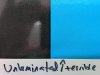
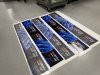
Here are my prints now - all of these are laminated except the one I wrote on it that it was unlaminated. Running my laminator at ~120F, speed 1. This is with Avery 1060z laminate, not the Arlon 3220 suggested above, because I need to match the laminate for warranty purposes, but I can try the Arlon to see if it is helpful in the future - but at this point it would be a bandaid because I wouldn't be able to sell/warranty it for most things.


I've sold dozens of Colorados and don't have this issue with anyone. I agree with Victor - this might be some older material. The Colorado is not designed for "3M" or "Avery"...I've got customers who blow through cast vinyl and they use either. The way the ink is collecting on the surface tells me something is likely wrong with the film as well. I also rarely ever see any silvering on UV Gel ink. A tip to reduce it would be to run your laminator around 120 degrees. But the fact you are getting a lot of silvering when laminating is a bit odd. You are always welcome to call me to talk it through. Did you buy the unit direct from Canon or through a reseller?

I bought this unit through a reseller and I wanted to give them the ability to make fix it and make it right, but it's been 3 months and they just finally gave me a label to send prints to Canon earlier this week. They have been saying it is the profile, or the material, or anything but the printer itself - but what makes me concerned is that while they were here setting up our printer, we pointed out the texture in the print and they said that was normal and expected, because the ink is on top of the vinyl - but that after I create my own profile, it would be better. I don't know what me making my own profile will do over the one that Canon makes, but I accepted the answer because I did not know any better and they are the ones selling and installing the printer - I figured they'd know!

I have also already had a warranty claim on the printer for the vacuum lines for the ink on the heads (I don't know what exactly it was, the clear thing on top of the head that is like half an inch wide by three quarter inch long - there are 3 of them) where I came in to an error message every day and had to do a hard restart on the printer.
 

Attachments

  • PXL_20260417_203343413.jpg
    PXL_20260417_203343413.jpg
    3.3 MB · Views: 8
  • PXL_20260417_203345701.jpg
    PXL_20260417_203345701.jpg
    3.4 MB · Views: 7
  • PXL_20260417_203348999.jpg
    PXL_20260417_203348999.jpg
    2.8 MB · Views: 7
  • PXL_20260417_203352884.jpg
    PXL_20260417_203352884.jpg
    3.2 MB · Views: 6
  • PXL_20260417_205529436.jpg
    PXL_20260417_205529436.jpg
    3.4 MB · Views: 7

Grizzly

It’s all about your print!
I know this is just one more thing to do for you, but do you have any 3M180cv3? We use the profile provided by Onyx (which is the same as Canon) and have great results. If you print on that media with the stock profile and it still looks bad there is definitely something wrong with the ink delivery, platen temp, or curing or something else. If it prints great, it just means that material is not compatible with the UV Gel Ink. Is the cast vinyl the only material your seeing this with? How does your economy calendered film look (3M 35c, GF 201, etc), or even banner in gloss mode. I've attached a similar issue I've seen. The ones that are really glossy and smooth are 3M IJ180cv3. The other one is General Formulations 830 Cast Wrap. (I believe they have improved this issue but I haven't used it since then.) I believe I printed one on Specialty and one on High Quality just for different profile reasons and had similar results. Same Profile for both medias. (Yes I know, you should be using specific profiles for every media. That being said, you shouldn't have drastic differences between two different premium cast films.)
 

Attachments

  • IMG_3804.jpg
    IMG_3804.jpg
    3 MB · Views: 2
  • IMG_3805.jpg
    IMG_3805.jpg
    2.9 MB · Views: 2
  • IMG_3806.jpg
    IMG_3806.jpg
    3.3 MB · Views: 2
  • IMG_3807.jpg
    IMG_3807.jpg
    3.9 MB · Views: 2
  • IMG_3808.jpg
    IMG_3808.jpg
    1.6 MB · Views: 2
Top