• I want to thank all the members that have upgraded your accounts. I truly appreciate your support of the site monetarily. Supporting the site keeps this site up and running as a lot of work daily goes on behind the scenes. Click to Support Signs101 ...

Epson S80600 missing nozzles light magenta head 1

jlillhannus

New Member
Hi all,
My 7 year old Epson S80600 has been printing perfectly ever since I bought it. Today the nozzle check wasn't very good though. I'm missing half of the nozzles for light magenta on head 1.
Did a few cleanings but the missing nozzles seem to "jump around" and it's never the same ones that are missing/working.
Allt of the other nozzles are working just fine.

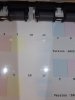
Is it a damper or a head issue? Something cheaper maybe? See attached picture of one of the nozzle checks.

 

Attachments

  • unnamed.jpg
    unnamed.jpg
    360.6 KB · Views: 43

swordguy3222

New Member
Give the parking station a good cleaning. When I see nozzles jumping around on mine its normally something on the heads like a hair or something on the parking station, like hair.
 

jlillhannus

New Member
I did that and made sure there are no dirt or anything. I also did a few medium and powerful cleanings only on LM and LC on head 1. Now the LC is bad aswell =(.
 

Attachments

  • nozzle.jpg
    nozzle.jpg
    413.2 KB · Views: 28

swordguy3222

New Member
I turned on my epson s80600 and apparently have a bad code 150c you knows what’s that’s means
That's normally to do with your encoder. The encoder strip might be a little dirty causing machine to not home itself properly. Dry lint free cloth, go along strip to clean it. Its its bad or damaged you'll need to replace it, cheap and easy to do. It could be the PG sensor or APG assembly, but I've always had it be the encoder strip as the issue.
 

swordguy3222

New Member
I did that and made sure there are no dirt or anything. I also did a few medium and powerful cleanings only on LM and LC on head 1. Now the LC is bad aswell =(.
If you have the service program you can do a line purge, it would drain all ink from the line/head/damper and replace it. You need the program and fresh inks to do this. To get around it for now, switch machine to 1 head mode, using head 2 only. Slower but you can still print.
 

jlillhannus

New Member
If you have the service program you can do a line purge, it would drain all ink from the line/head/damper and replace it. You need the program and fresh inks to do this. To get around it for now, switch machine to 1 head mode, using head 2 only. Slower but you can still print.
Thanks! Do you know where I can get the software? I'm pretty sure my supplier in Sweden isn't very keen on giving it to me.
 

Alebaba

Alebaba
With the service software you will be able to do more details nozzle checks to help you diagnose the issue
 
Top