graphicsphere
Custom Signs & Graphics
Hi All Printer Techs,
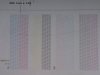
I have a Roland VG-540 that I recently started having bidirectional issues with. If I print in unidirectional Mode the printed image looks perfect. I started doing head alignment test prints and noticed something different was off. My Bias/Vertical test print is showing space between the black lines (See attached). In the Service Manual it doesn't show space between the black lines (See attached). I have attached a current Bias/Vertical test print and a copy of the Service Manual Bias/Vertical test print to show the difference. I'm not sure if it's because there was a firmware update recently thru Roland's Connect Hub or if some setting was changed somewhere.
I also tried to adjust the Horizontal and M Gap head alignment and that didn't help because the test prints are really blurry and hard to see which settings to change.
My Test print looks good (See attached) so just wanted to see if there is somebody that has had this same bidirectional problem and what steps I should take to adjust?
I have a Roland VG-540 that I recently started having bidirectional issues with. If I print in unidirectional Mode the printed image looks perfect. I started doing head alignment test prints and noticed something different was off. My Bias/Vertical test print is showing space between the black lines (See attached). In the Service Manual it doesn't show space between the black lines (See attached). I have attached a current Bias/Vertical test print and a copy of the Service Manual Bias/Vertical test print to show the difference. I'm not sure if it's because there was a firmware update recently thru Roland's Connect Hub or if some setting was changed somewhere.
I also tried to adjust the Horizontal and M Gap head alignment and that didn't help because the test prints are really blurry and hard to see which settings to change.
My Test print looks good (See attached) so just wanted to see if there is somebody that has had this same bidirectional problem and what steps I should take to adjust?