Printing Team,
Over the years I’ve gotten a lot of DMs asking how I converted my Epson SureColor S40600 (US) to run on non-OEM inks. Some members have seen my posts/answers out there and reach out via DMs to ask for details. I am not the most organized person and sometimes I answer quickly and sometimes it takes longer. I've personally benefited so much from this forum that I figured it's time to give back more actively. I know many of you are small business owners like myself and with prices going up so much I think this post can benefit many of you.
Please keep in mind, I did this back around 2020. Things might have changed and there might be better solutions now. I’ve been running my setup for ~6 years.
First, please understand the basics. Epson uses security on their cartridge chips to monopolize the sale of their ink. Most manufacturers use the same security tech on all worldwide printers. Epson was really smart about this. I speculate they gave us (the US market) the most sophisticated security so we cannot escape their pricing, and gave the China market the light security / easy to crack chips in anticipation of them cracking the code. They knew the China market always comes up with after-market chips and this way they can guarantee their aftermarket chips won't work on US printers.
What ended up working for me is what I call a "Asia-market conversion" - let me explain. For the Chinese market, Epson rebranded the S40600 and sells it as the Epson S40680 - but its exactly the same printer, just slightly different firmware (the security no the chips). So what you need to do is purchase a blank Chinese motherboard, swap the motherboards (took 3 hours first round, <1 hour second round), load up the firmware (2 hour first time, 15 minutes second round), and the printer will think its an Epson S40680. Then you setup your printer with your printing software as an Epson S40680 and that's it. When I originally did the conversion in 2020, my total cost was about $1,250 (expect higher prices now), roughly:
In terms of durability and all the scaremongering about non-branded inks damaging the printhead: I purchased my S40600 back in 2018. Printhead lasted exactly 2 years on branded inks. Then I swapped motherboard to test out non-branded inks. Next printhead lasted 2 and next one 2 years. I swear Epson has a timer on these things.
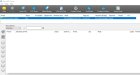
Like my friend likes to say "Pictures or it didn't happen." I am adding pictures of my printer setup, software rip, and a sample printing with my Sakata INX inks (same sign 6 years apart).
For the sample sign, please note:
- It was printed on painted aluminum with a Mimaki UJF-6040 using UV inks.
- The only 2 areas that didn't use UV ink is: "Display Area" printed with Epson S40600 with Sakata INX Triangle inks 6 years ago (2020) and "Suite G" printed with the same Epson S40600 with Sakata INX Triangle inks 2 days ago (in 2026). Both using budget calendered vinyl.
- Full sun exposure for most of the day
For suppliers feel free to reach out. I just sent them messages to get updates on pricing.
Over the years I’ve gotten a lot of DMs asking how I converted my Epson SureColor S40600 (US) to run on non-OEM inks. Some members have seen my posts/answers out there and reach out via DMs to ask for details. I am not the most organized person and sometimes I answer quickly and sometimes it takes longer. I've personally benefited so much from this forum that I figured it's time to give back more actively. I know many of you are small business owners like myself and with prices going up so much I think this post can benefit many of you.
Please keep in mind, I did this back around 2020. Things might have changed and there might be better solutions now. I’ve been running my setup for ~6 years.
First, please understand the basics. Epson uses security on their cartridge chips to monopolize the sale of their ink. Most manufacturers use the same security tech on all worldwide printers. Epson was really smart about this. I speculate they gave us (the US market) the most sophisticated security so we cannot escape their pricing, and gave the China market the light security / easy to crack chips in anticipation of them cracking the code. They knew the China market always comes up with after-market chips and this way they can guarantee their aftermarket chips won't work on US printers.
What ended up working for me is what I call a "Asia-market conversion" - let me explain. For the Chinese market, Epson rebranded the S40600 and sells it as the Epson S40680 - but its exactly the same printer, just slightly different firmware (the security no the chips). So what you need to do is purchase a blank Chinese motherboard, swap the motherboards (took 3 hours first round, <1 hour second round), load up the firmware (2 hour first time, 15 minutes second round), and the printer will think its an Epson S40680. Then you setup your printer with your printing software as an Epson S40680 and that's it. When I originally did the conversion in 2020, my total cost was about $1,250 (expect higher prices now), roughly:
- $750 — China-market motherboard
- $250 — bulk/refillable ink system (cartridges + lines)
- $250 — shipping
In terms of durability and all the scaremongering about non-branded inks damaging the printhead: I purchased my S40600 back in 2018. Printhead lasted exactly 2 years on branded inks. Then I swapped motherboard to test out non-branded inks. Next printhead lasted 2 and next one 2 years. I swear Epson has a timer on these things.
Like my friend likes to say "Pictures or it didn't happen." I am adding pictures of my printer setup, software rip, and a sample printing with my Sakata INX inks (same sign 6 years apart).
For the sample sign, please note:
- It was printed on painted aluminum with a Mimaki UJF-6040 using UV inks.
- The only 2 areas that didn't use UV ink is: "Display Area" printed with Epson S40600 with Sakata INX Triangle inks 6 years ago (2020) and "Suite G" printed with the same Epson S40600 with Sakata INX Triangle inks 2 days ago (in 2026). Both using budget calendered vinyl.
- Full sun exposure for most of the day
For suppliers feel free to reach out. I just sent them messages to get updates on pricing.