Purchased a new 730 in February and have had nothing but struggles with it.
Looking for some advice on what to do.
We have gone through 3 optimizer printheads in the month of having this machine. What we are experiencing is a low voltage error on the OP print head. Once it occurred right after a head crash
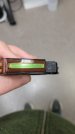
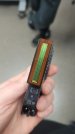
The other two times the printer has continued to function then awhile later we notice poor prints(mostly horizontal banding). Upon canceling the current job the printer then gives the low voltage error. Inspection of the head shows damage on the center of the head, not just edge of the ribbon(which was what occurred in the 365 we had prior).
Why is the error not showing mid print? Why is this head so fragile, or how can be prevent these crashes? Wasting 4ft at the beginning of every print to pass the curing module is ridiculous.
I had one full day of printing on this head before its shot.
This time when I rebooted the machine it also actually gave me an error that one of the curing modules malfunctioned, although this did not return upon another reboot
Looking for some advice on what to do.
We have gone through 3 optimizer printheads in the month of having this machine. What we are experiencing is a low voltage error on the OP print head. Once it occurred right after a head crash
The other two times the printer has continued to function then awhile later we notice poor prints(mostly horizontal banding). Upon canceling the current job the printer then gives the low voltage error. Inspection of the head shows damage on the center of the head, not just edge of the ribbon(which was what occurred in the 365 we had prior).
Why is the error not showing mid print? Why is this head so fragile, or how can be prevent these crashes? Wasting 4ft at the beginning of every print to pass the curing module is ridiculous.
I had one full day of printing on this head before its shot.
This time when I rebooted the machine it also actually gave me an error that one of the curing modules malfunctioned, although this did not return upon another reboot