• I want to thank all the members that have upgraded your accounts. I truly appreciate your support of the site monetarily. Supporting the site keeps this site up and running as a lot of work daily goes on behind the scenes. Click to Support Signs101 ...

HP LATEX 370 PRINTER

PABLO0070

New Member
I HAVE A HP 370 PRINTER AND NO MATTER WHAT I DO IT JUST WON'T PRINT RED COLOR;, I EVEN CONTACT FLEXI AND THE WENT THROUGH THE SOFTWARE UNING ANY DESK AND THEY SAID IT IS A PRINTER ISSUE AND NOT THE SOFTWARE. ALL MY PRINT HEADS ARE BRAN NEW SO WHEN I DID A COLOR CALABERATION ALL THE COLORS LOOKS VIBRANT INCLUDING THE MAJENTA
CAN SOMEONE PLEASE HELP ME?
 

dtfonestop

New Member
If the calibration plot shows magenta and yellow looking right, the heads are probably doing their job, because red on these is just magenta and yellow laid down together. So I'd try to find out whether the problem is in the printer or in what the RIP is sending it.

A few things I'd check:

- Look closely at how the red comes out. If it turns orange or pink, one of the two colors is usually under-inking on that media setting. If it comes out blank or a completely different color, it's usually the file or the color mapping.
- Print a red patch straight from the printer's own diagnostic or test plots if you can, without going through Flexi. If red looks fine there, the printer is okay and it's the media preset or profile path.
- Check the substrate/media preset on the printer. If it got corrupted or someone edited the ink limits, one color can come out starved even when the calibration looks good. Re-download or reset that preset, run a color calibration on it, and then re-link the profile in Flexi.
- In the job itself, make sure the red isn't a spot color or named color getting replaced with something else. Flexi will sometimes swap a spot red for its own table value.

If it only happens with certain logos or brand reds, it's almost always the spot color mapping. If every red in every file is off, start with the media preset. Hope that helps narrow it down.
 
  • Agree
Reactions: 1 user
The Latex 370 has 3-liter ink boxes, so make sure that the inks are not expired, as the pigment could settle if the inks are significantly past their expiration date - pay particular attention to Yellow and Magenta.

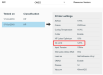
If you are printing to self-adhesive vinyl, look for a media with a print mode that uses120-percent ink density. An example of one such media is HP Prime Gloss Air GP. which has a 12-pass print mode at 120-percent ink density - see attached. Download directly to the printer via the printer front panel, synchronize with your RIP, and print using the 12-pass print mode. That should provide a very acceptable red on any of the Gen3 Latex printers.
 

Attachments

  • Prime Gloss Air GP.png
    Prime Gloss Air GP.png
    56.3 KB · Views: 11
  • Agree
Reactions: 1 user

PABLO0070

New Member
If the calibration plot shows magenta and yellow looking right, the heads are probably doing their job, because red on these is just magenta and yellow laid down together. So I'd try to find out whether the problem is in the printer or in what the RIP is sending it.

A few things I'd check:

- Look closely at how the red comes out. If it turns orange or pink, one of the two colors is usually under-inking on that media setting. If it comes out blank or a completely different color, it's usually the file or the color mapping.
- Print a red patch straight from the printer's own diagnostic or test plots if you can, without going through Flexi. If red looks fine there, the printer is okay and it's the media preset or profile path.
- Check the substrate/media preset on the printer. If it got corrupted or someone edited the ink limits, one color can come out starved even when the calibration looks good. Re-download or reset that preset, run a color calibration on it, and then re-link the profile in Flexi.
- In the job itself, make sure the red isn't a spot color or named color getting replaced with something else. Flexi will sometimes swap a spot red for its own table value.

If it only happens with certain logos or brand reds, it's almost always the spot color mapping. If every red in every file is off, start with the media preset. Hope that helps narrow it down.
Thank you so much for your help Itried all that but its not the RIP (flexi) because i took my laptop to another print shop and print the same file on another HP831 PRINTER and I got red print ,
 

PABLO0070

New Member
The Latex 370 has 3-liter ink boxes, so make sure that the inks are not expired, as the pigment could settle if the inks are significantly past their expiration date - pay particular attention to Yellow and Magenta.

If you are printing to self-adhesive vinyl, look for a media with a print mode that uses120-percent ink density. An example of one such media is HP Prime Gloss Air GP. which has a 12-pass print mode at 120-percent ink density - see attached. Download directly to the printer via the printer front panel, synchronize with your RIP, and print using the 12-pass print mode. That should provide a very acceptable red on any of the Gen3 Latex printers.
Thank you so much for your help Itried all that but its not the RIP (flexi) because i took my laptop to another print shop and print the same file on another HP831 PRINTER and I got red print
 

dtfonestop

New Member
Taking the same file to another printer was a really smart test. If it prints red there from the same laptop, Flexi and the file are pretty much cleared, so it's something on your 370 or in the media setup on it. Since red is just magenta and yellow laid down together, this is the order I'd go through:

1. Match the media preset. Find out exactly which substrate preset the other shop printed with and run the same file on your machine with that preset. If they can export it from their printer, import it on yours. If red shows up, your old preset was the culprit (ink limits or stored calibration data), and you can just work from the good one.
2. Reset the color calibration on your preset back to default, run a printhead alignment, then do a fresh color calibration. A calibration done while something was misfiring can store a bad correction that keeps fighting you.
3. Double-check the new heads. Make sure each one is in its correct slot, fully latched, contacts clean and dry, and the carriage cover closed all the way. Then print the printhead status/diagnostic plot and look closely at the magenta and yellow sections for weak or missing nozzles.
4. Check the magenta and yellow ink. Along the lines of what balstestrat asked, take those two out and give them a good gentle shake, and look at the expiry dates and how long they've been sitting. Settled or out-of-date ink can look fine on a small calibration patch and then starve on a big solid fill.
5. Print a large solid red, solid magenta and solid yellow block side by side. Whichever single color comes out weak or off tells you which ink line or head to focus on.

If all of that checks out and red still only fails on your printer, it points to the ink supply or carriage side for one of those two colors, and that's the point where having a tech look at it in person is worth the money.

 

Goooost

New Member
If you're able to show an example of what prints vs a screenshot of what it was supposed to print, that may help. Like, is the red showing up as a different color or just blank? My first assumption would have been an air pocket in the ink line but you're saying that when you print a test plot every single head shows up? Have you tried printing multiple files with different artwork/file formats to see if it could be something digital causing the issue?
 
Top