Jordanprints16
New Member
Sorry for the buggy question but I swear I have looked everywhere and watched every video there is to ensure I am not missing anything. I just re-installed CM5 on my computer as I was clearing some disk space and doing a few changes to my PC.
I cannot for the life of me find out how to set my registration marks and barcode properly. It just gets placed over my artwork. Super annoying have tried adding even more than 3" of space to have clearance but still nothing works.
I do not understand. When I get into CM5 as well it wont let me edit media size nor update my plotter. Not sure if it is a me bug or what. I guess a quick call to customer support will do but I am adamant about figuring this out. I've set barcodes up hundreds of times,, updated CM5 a few times and never had this issue.

Support is closed right now will call tomorrow but if anyone has a quick fix let a brotha know !! ;3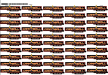
I cannot for the life of me find out how to set my registration marks and barcode properly. It just gets placed over my artwork. Super annoying have tried adding even more than 3" of space to have clearance but still nothing works.
I do not understand. When I get into CM5 as well it wont let me edit media size nor update my plotter. Not sure if it is a me bug or what. I guess a quick call to customer support will do but I am adamant about figuring this out. I've set barcodes up hundreds of times,, updated CM5 a few times and never had this issue.
Support is closed right now will call tomorrow but if anyone has a quick fix let a brotha know !! ;3