• I want to thank all the members that have upgraded your accounts. I truly appreciate your support of the site monetarily. Supporting the site keeps this site up and running as a lot of work daily goes on behind the scenes. Click to Support Signs101 ...

Mimaki JFX200 EX - Missing nozzles

copage2002

New Member
Hi All

Sorry, I am not at the printer at the moment so i have no picture to attach.

I have quite a few cyan nozzles missing on head 1 and 2 (head 3 is white)

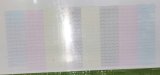
On head 1 I have the bottom chunk of cyan missing (about 4-5 rows totally gone, I assume clogged)

On head 2, also cyan missing a random selection of repeat offenders (so i assume clogged) and also a chunk of random nozzles that seem to come and go, possibly move around.

I have changed the sub tanks, aligned capping and wiping (i think it looks good but cant be sure) Done soaks with 16 solution, tried many many purges.....am i missing something?

Thanks all
 

copage2002

New Member
Sorry, I am not at the printer at the moment, the one i have is not very clear

Its just the cyans that are the issue,,, also im not sure if its a seperate issue (and may not be clear nthis image) but a lot of the cyan nozzle on head one are actually magent in colout,i beleive this is due to ink from the magenta channel sitting on the cyan nozzles and getting jeted out, but have tried adjusting capping etc. cyan on head 2 is the one ht seems more random (few common offenders but lots come and go) new subtanks, lots of purges, pressure good.

Thank you
IMG-20261015-WA0008n.jpg h.
 

Smoke_Jaguar

Man who touches printers inappropriately.
Color bleed is usually just a dirty wiper/nozzle plate. Head looks rough and it's probably not an air bleed issue and I am guessing filters are probably ok (could change if you really want). You can try flushing the channels with #7 flush, but might want to check head 2 for signs of strike damage. Also, using a polyester swab and some maintenance fluid #16, a good wipedown might help break down any gunked up ink. Just avoid letting it sit more than a few minutes.
 

copage2002

New Member
Thank you

The section on head 1 seems to have grown over time, was a couple of rows a while back, then doubled, those 3 nozzles you see at the bottom are now gone too (this pic is a few days old). I can see no visual signs of damage at all, they look clean and in good condition. The ones coming and going on head 2 are confusing me more
 

copage2002

New Member
Thanks or your help the other day by the way, we had a blockage by the main tank (Possibly the Y piece, didn't see anything too obvious), so when pump 6 was filling the subtank, it had a vacuum effect and empted it straight back out. but after playing all of a sudden the syringe puled freely an all seems happy now.
 

Smoke_Jaguar

Man who touches printers inappropriately.
On the road all day, flushing is a bit involved, but can do quite a bit for head. Involves using service menu to pump the cyan lines and bottle tank full of flush, then running some head 1/2 cleaning cycles to get flush into the head. Then you have to purge the lines and do a few clean cycles to get the flush purged and re-ink those channels. Time consuming and will burn a good deal of ink, but way less than new heads.
 
Top