Think713
New Member
This is for you guys using a flatbed.
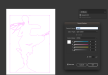
I am running Onyx thrive and have no issues getting our White to print. But accord to what I'm reading in this document I have for the setup, IF i want to print second surface (the back) and want white to go OVER the color layer, that the WHITE Spot1 layer needs to be overtop the color layer. Attached is my layer stack. The printer is still avoiding dropping ink overtop the text. What am I missing? Do I need to select overprint fill on the attributes for the Spot1 layer? (I am using Illustrator)
I am running Onyx thrive and have no issues getting our White to print. But accord to what I'm reading in this document I have for the setup, IF i want to print second surface (the back) and want white to go OVER the color layer, that the WHITE Spot1 layer needs to be overtop the color layer. Attached is my layer stack. The printer is still avoiding dropping ink overtop the text. What am I missing? Do I need to select overprint fill on the attributes for the Spot1 layer? (I am using Illustrator)