• I want to thank all the members that have upgraded your accounts. I truly appreciate your support of the site monetarily. Supporting the site keeps this site up and running as a lot of work daily goes on behind the scenes. Click to Support Signs101 ...

Print is off using 661UF and VerteLith RIP

StarSign

New Member
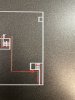
Hopefully I can explain this correctly. We have had our 661UF for a couple of years now and have been running the RIP (Compress UV) that came with the purchase of the machine. We just switched over the the VerteLith RIP and now we get files that are printing off (see pics). It will not do this if we send it in the Compress UV RIP only the VerteLith RIP. I am not getting much help from Mutoh, which is strange, they have been great up until now. So I figures I would throw it out there to the Signs 101 world. Thanks.
 

Attachments

  • 1.jpg
    1.jpg
    124.4 KB · Views: 16
  • 2.jpg
    2.jpg
    68.9 KB · Views: 18

Solventinkjet

DIY Printer Fixing Guide
Since it's only off in the scan direction, it's most likely a bad bidirectional alignment or encoder issue. If it was printing fine on another RIP before switching to Vertelith, it's probably a Media Type mismatch. For example, your old RIP might have been telling the printer to use media type 2 but Vertelith is telling it to use media type 1. The media types save bidirectional alignment values for each media so switching media type can cause alignments to change. I'd check Vertelith to see what media type number it's calling for and then run the alignments on the printer under that media type.

If that checks out, look at the encoder strip to see if it dirty or has any grease on it.
 
Top