
• I want to thank all the members that have upgraded your accounts. I truly appreciate your support of the site monetarily. Supporting the site keeps this site up and running as a lot of work daily goes on behind the scenes. Click to Support Signs101 ...

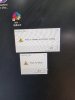
printexp_X64 ResUI init failed Has anyone here managed to resolve this error message?

congdesign

New Member
I am using a Dlican uv print
When I try to open the hoson software(PrintExp software), this error appears, and the program fails to launch.
Is there any way to resolve this?

The only change I made on the computer was adjusting the region settings to correct the Windows system clock.

The error message appears like this.
(printexp_X64 ResUI init failed)

Has anyone here managed to resolve this error message?
 

Attachments

  • error.jpg
    error.jpg
    635.5 KB · Views: 9

dtfonestop

New Member
That error right after a region change is almost always the locale, not the printer. PrintExp loads its interface resource files based on the Windows language/region settings, and if those change it can fail to find them and stops at "ResUI init failed."

What I'd try, in order:

1. Control Panel > Region > Administrative tab > "Change system locale." Set "Language for non-Unicode programs" back to whatever it was before (on a lot of these machines it's set to Chinese (Simplified, PRC) from the factory). Reboot.
2. On the Formats tab, put the format back to what it was too, and leave "Beta: Use Unicode UTF-8" unchecked if it got turned on.
3. Fix the clock separately under Date & Time (time zone and "set time automatically") instead of through the region settings.
4. If it still won't start, run PrintExp as administrator, and if needed reinstall the same PrintExp version that came with the machine. Don't grab a newer one, since it has to match the board firmware.

Did you change only the time zone, or the region/system locale itself?
 
Top