
• I want to thank all the members that have upgraded your accounts. I truly appreciate your support of the site monetarily. Supporting the site keeps this site up and running as a lot of work daily goes on behind the scenes. Click to Support Signs101 ...

Roland VG2 - knife hitting media clamps?

KristianBIS

New Member
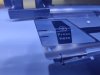
I've had an issue with out VG2, where the blades got dull after only a few jobs and I just couldn't figure it out. Looking closer at my media clamps, I can see marks on them which fits where the knife travels, so I suspect this is what's causing it. This is just my theory, but it would make sense.

It's really just regular print vinyl and I've been doing the exact same pring and job on the same media for years withtout any issues, so I wonder how this suddenly is a problem. The media doesn't seem to be bulging or anything like that, so I don't see why the knife would even come into contact with the clamps?

Anyone dare take a guess at what I can do to fix it? Thanks! :)
 

Attachments

  • Clamps.jpg
    Clamps.jpg
    1.1 MB · Views: 47
Unfortunately, the printers have not been being adjusted coming out of the factory. The tool carriage needs to be 2.5 mm off of the bed. yours is probably lower. This is a service level adjustment.
 

MrDav3C

New Member
Make sure the blade isn't protruding too far out of the blade holder. We have purchased smart knives for years for our printers / plotters, this takes any guess work out of ensuring the blade is at the correct depth etc. our supplier also now has an option for a smart knife with a slightly smaller depth to reduce the change of the blade hitting guides / clamps etc.

Or....

Remove the media clamps and only use the pinch rollers when cutting. Just be sure to make sure your print media is in good condition and not lifting at the edges, otherwise I think you will be at greater risk of a head strike... Saying that on my SG3 on a few occasions I have found the media clamps actually can cause the media to buckle after a perforated sheet cut which has actually caused head strikes. If I'm printing large unattended print runs I often move the clamps out of the way as I feel this is actually safer.
 
  • Informative
Reactions: 1 user

KristianBIS

New Member
Unfortunately, the printers have not been being adjusted coming out of the factory. The tool carriage needs to be 2.5 mm off of the bed. yours is probably lower. This is a service level adjustment.
We've been using the printer for these jobs for years without any problems, so any adjustments of that sort were made when we got the printer I reckon.

Make sure the blade isn't protruding too far out of the blade holder. We have purchased smart knives for years for our printers / plotters, this takes any guess work out of ensuring the blade is at the correct depth etc. our supplier also now has an option for a smart knife with a slightly smaller depth to reduce the change of the blade hitting guides / clamps etc.

Or....

Remove the media clamps and only use the pinch rollers when cutting. Just be sure to make sure your print media is in good condition and not lifting at the edges, otherwise I think you will be at greater risk of a head strike... Saying that on my SG3 on a few occasions I have found the media clamps actually can cause the media to buckle after a perforated sheet cut which has actually caused head strikes. If I'm printing large unattended print runs I often move the clamps out of the way as I feel this is actually safer.
I changed the blade and adjusted the blade to protruding as little as possible, while still getting the results I want - this might have been the culprit-
Care to tell me a bit more about smart knifes? I've never heard of them, but they sound....well...smart :D
And yeah, removing the clamps is an option, but I'd really prefer keeping them since they are there for a reason.
And we've printed and cut thousands and thousands of stickers in the past without issue, so I'd rather try and find source of the problem.

Thanks so much.
 

MrDav3C

New Member
We've been using the printer for these jobs for years without any problems, so any adjustments of that sort were made when we got the printer I reckon.


I changed the blade and adjusted the blade to protruding as little as possible, while still getting the results I want - this might have been the culprit-
Care to tell me a bit more about smart knifes? I've never heard of them, but they sound....well...smart :D
And yeah, removing the clamps is an option, but I'd really prefer keeping them since they are there for a reason.
And we've printed and cut thousands and thousands of stickers in the past without issue, so I'd rather try and find source of the problem.

Thanks so much.

Smart knives are just a blade holder with a pre installed blade that replaces the one currently in your printer / plotter. Check out www.edwardmathias.com for more info. - Only drawback I can see for you is I don't know if they ship outside of the UK but cant see why they wouldnt!

We have a few smart knives for each cutter & when the blades become dull, we swap them with a new one and send the used one back to the supplier for sharpeneing.

They also offer different types of smart knives for cutting different materials (laminated prints, sand blasting stencil films etc.)

Hope this helps!
 
  • Agree
Reactions: 1 user

KristianBIS

New Member
Smart knives are just a blade holder with a pre installed blade that replaces the one currently in your printer / plotter. Check out www.edwardmathias.com for more info. - Only drawback I can see for you is I don't know if they ship outside of the UK but cant see why they wouldnt!

We have a few smart knives for each cutter & when the blades become dull, we swap them with a new one and send the used one back to the supplier for sharpeneing.

They also offer different types of smart knives for cutting different materials (laminated prints, sand blasting stencil films etc.)

Hope this helps!
I'll give it a look thanks!

I remove blades when printing and clamps when contour cutting....
The jobs we do here are equal print and cutting, so removing clamps only when cutting isn't really an option.
Did a bunch of new print and cut jobs, so far so good, knife still good - hoping it lasts!

Thanks to everyone pitching in with advice, greatly appreciated!
 

KristianBIS

New Member
Reviving this old thing - the problem keeps coming back, I can't figure out why. I start out with a fresh knife, make sure it doesn't protude more than a little from the holder and start with really low pressure, then gradually raise it until I hit the sweet spot. Then I do a few jobs, works great...until it doesn't. The tip of the blade is not a tip anymore. As far as I can tell the media clamps aren't the culprits since I reckon they'd have marks from the hits. No new marks seem to appear and I even put some vinyl on them to show if the knife ran across again.

Hoping someone suddenly sees this and has an idea - spoke to a tech and he didn't really have any input.
 

MrDav3C

New Member
What's the condition of the cutting strip like? If the cutting strip is damaged / heavily scored in certain areas then I think this would cause the blade to cut too deep in these places and could therefore damage the blade?
 

KristianBIS

New Member
What's the condition of the cutting strip like? If the cutting strip is damaged / heavily scored in certain areas then I think this would cause the blade to cut too deep in these places and could therefore damage the blade?
That's a good point and I should of course have mentioned it, but I've tried replacing the cutting strip aswell - even if it wasn't really that worn. Thanks tho! :)
 

cornholio

New Member
My two cents. The blade position can't be adjusted, just the position of the black sleve and how much the blade protrudes from it
The cutting strips in these printers are too thin and it can happen, that a broken blade tip gets stuck in it. This can kill the tip of a subsequently installed blade.
There also was a firmware update regarding this, but that's a couple years back.
Since you say it used to work flawlessly, i could also imagine, that the flat cable to the tool carriage ist broken in the position over the media guide.
Or the media guide is somehow deformed and is higher above the print platen now.
 
  • Agree
Reactions: 1 user

MrDav3C

New Member
With regards to deformed media guides:

On my SG3, After our printer was installed, the piece of metal that is used to lock the print heads in position for transportation was screwed into the LHS of the printer which effectively stops the left media guide from being able to slide out of position and fall into the service compartment used for cleaning the print heads etc.

Unfortunately, during a large unattended print run and due to user error, the print media was slightly misaligned and ran to the left. This pushed the media guide outwards and against the piece of metal, resulting in a nasty head strike and a bent media guide.

Needless to say, the media guide was quickly replaced and the piece of metal is now left loose in the service compartment to prevent this ever happening again.

I'm not saying this is the issue in this thread but hopefully will serve as a warning to others as new print heads certainly aren't cheap!
 

KristianBIS

New Member
My two cents. The blade position can't be adjusted, just the position of the black sleve and how much the blade protrudes from it
The cutting strips in these printers are too thin and it can happen, that a broken blade tip gets stuck in it. This can kill the tip of a subsequently installed blade.
There also was a firmware update regarding this, but that's a couple years back.
Since you say it used to work flawlessly, i could also imagine, that the flat cable to the tool carriage ist broken in the position over the media guide.
Or the media guide is somehow deformed and is higher above the print platen now.
I've checked the cutting strip and that doesn't seem to be the case. Feels smooth to the touch.
Same thing with the media guides - I'm not even sure anymore that they're causing this, since as far as I can tell the knife isn't hitting them. Even though it obviously has in the past.


What cable are you referring too?
 
Top