
I desperately need some help or advice how i should go about this problem.
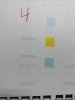
I bought a vs-640i about 6 months ago. Nozzle test were perfect and everything seemed to work fine. About 2-3 months ago i lost the light cyan channel and it wouldn't print light cyan at all. I then soaked the head and if i remember correct i ran a powerful cleaning and then the light cyan channel came fully back. Then 2 weeks ago i lost the yellow channel together with the light cyan and i found out that the light cyan and yellow were the same damper and that 2 of the 4 dampers was aftermarket and not OEM. I bought new dampers (OEM), changed them. After i changed them i started to lose more and more colors and now i can barely see anything on a nozzle test. I have checked the dampers twice after changing them and i don't believe that the dampers are the problem. I have ran choke cleanings, powerful cleanings, soaked the head twice, checked the captop. I somehow managed to get the yellow and light cyan back for 1 day as picture 4 shows but the day after almost everything is gone.
My next and only solution is to buy either a new printhead or a new printer.
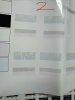
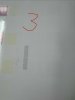
Picture 1 is when i just got light cyan back and then the pictures just highlight the process of losing more and more colors over the last 2 weeks.

I bought a vs-640i about 6 months ago. Nozzle test were perfect and everything seemed to work fine. About 2-3 months ago i lost the light cyan channel and it wouldn't print light cyan at all. I then soaked the head and if i remember correct i ran a powerful cleaning and then the light cyan channel came fully back. Then 2 weeks ago i lost the yellow channel together with the light cyan and i found out that the light cyan and yellow were the same damper and that 2 of the 4 dampers was aftermarket and not OEM. I bought new dampers (OEM), changed them. After i changed them i started to lose more and more colors and now i can barely see anything on a nozzle test. I have checked the dampers twice after changing them and i don't believe that the dampers are the problem. I have ran choke cleanings, powerful cleanings, soaked the head twice, checked the captop. I somehow managed to get the yellow and light cyan back for 1 day as picture 4 shows but the day after almost everything is gone.
My next and only solution is to buy either a new printhead or a new printer.
Picture 1 is when i just got light cyan back and then the pictures just highlight the process of losing more and more colors over the last 2 weeks.

