Valerio9090
New Member
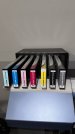
I am experiencing the following issue with my printer:
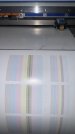
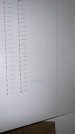
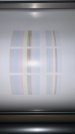
Even after installing a new printhead, new flat ribbon cable, and new damper, the yellow (Y) color is printing double. This is clearly visible in the test prints (see attached images), especially with misaligned or duplicated lines in the yellow channel.
Additionally, during bias printing, one color appears to be missing or not firing correctly.
Important details:
What could be the cause of the yellow channel printing double or misaligned, even though all relevant components are new and correctly recognized?
Even after installing a new printhead, new flat ribbon cable, and new damper, the yellow (Y) color is printing double. This is clearly visible in the test prints (see attached images), especially with misaligned or duplicated lines in the yellow channel.
Additionally, during bias printing, one color appears to be missing or not firing correctly.
Important details:
- The printhead is installed correctly
- The head number matches the machine
- The flat ribbon cable and damper have also been replaced
- Other colors appear to print normally
- The issue occurs consistently in both test prints and regular prints
What could be the cause of the yellow channel printing double or misaligned, even though all relevant components are new and correctly recognized?