• I want to thank all the members that have upgraded your accounts. I truly appreciate your support of the site monetarily. Supporting the site keeps this site up and running as a lot of work daily goes on behind the scenes. Click to Support Signs101 ...

Service code 0109 Roland Versacamm SP300i

Keep getting service code 0109. Cleaned everything and bought a new sensor. The motor moves back to position then starts clicking like it's still trying to find home. I move it back and restart and it does it again. Did work couple minutes started doing a cleaning then error again. Motor and gears seem to be working fine. Any ideas?
 

Attachments

  • Screenshot_23-10-2026_193346_www.facebook.com.jpeg
    Screenshot_23-10-2026_193346_www.facebook.com.jpeg
    68.7 KB · Views: 21
I just took out both wipers and pulled holder forward. Started up and went back to home position no problem and then like it keeps going and starts clicking. Error again. It has nothing to do with the rubber wipers. Motor works good but it's like it don't want to stop. Belt and gears look good and work fine manually moving the knob.
 
If clicking properly with no wipers, that belt is probably too far stretched and will need to be replaced.
you might be able to loosen the motor screws and pull the motor slightly to tighten the belt
 
I can't move the motor it has no adjustment. I held belt tight with fingers and tried spinning knob to see if it skips, but it didn't. Belt is tight and keeps acting like the stop sensor isn't working even though I just put a new one on. Maybe it is the cable for the sensor. Not sure why that would go bad.
 

Attachments

  • Screenshot_23-10-2026_193346_www.facebook.com.jpeg
    Screenshot_23-10-2026_193346_www.facebook.com.jpeg
    68.7 KB · Views: 15
It is rare, but the motor could be bad.
anything down in there stopping the movement?
with power off, turning brass gear, does wiper holder move freely front to back? And watch the belt while doing this.
 
yep, it works well until it goes to the back home position. If I move it forward it will go back no problem. Just wants to keep going and starts clicking. Thanks for trying to help. Since the motor works good, I have to assume my wire is bad to sensor. Hate to call a tech to come over. Done all my own repairs for many years.
 
My money is on the 25$ belt due to being I assume a well used older SPi printer.
the sensor can be checked in service mode by Roland tech
very rare the wire to the sensor unless melted by ink.
the sensors are robust and fail occasionally,
tech can do wiper aging and watch the belt for flutter.
 
My money is on the 25$ belt due to being I assume a well used older SPi printer.
the sensor can be checked in service mode by Roland tech
very rare the wire to the sensor unless melted by ink.
the sensors are robust and fail occasionally,
tech can do wiper aging and watch the belt for flutter.
Take a swab, clean and lightly oil the shaft the wiper holder moves on.
 
I did clean it all really good and light coat of oil on shaft. It moves easy when turning the knob. I been in service mode tried to do wiper change, but it errors out. I am going to go try
  1. Look for Wiper Sensor Test or Wiper Status — this is the diagnostic function that reads the wiper sensor’s state. See if I can find that menu.
 
Mine only has a wiper replace setting. When I enter it goes to the back and starts clicking and errors out. Not sure if supposed to post videos. I just made this short.
 
I can't get it to do anything in service mode checks because it will just go back home position and keep clicking then error every time. Sensor has to be not telling it to stop.
 

dtfonestop

New Member
Since it still does it with the wipers out and the belt holding, the clicking sounds like the motor running into the end because it never sees home. I'd look at whether the sensor is actually getting tripped, not just whether it works. On most of these the home sensor is a little slotted optical sensor, and a tab on the wiper holder slides into the slot to block it. If that tab is bent, cracked, or the new sensor sits a hair off from where the old one did, the tab can miss the slot and it'll keep driving.

Quick way to split it: when you start the wiper replace and it heads to the back, slide a strip of thin card into the sensor slot by hand. If the motor stops right away, the sensor and the wire are fine and it's the tab or the alignment. If it keeps going, then I'd ring out the cable end to end with a meter, wiggling it along the run while you check.

Did the new sensor go on the same bracket as the old one?

 
The new sensor is exactly the same as the old one. I took the sensor off put it in my hands and when the blades went home, I put paper in it. It worked perfect. Least I got it to do a cleaning. I had to put the paper in each time it went home. Had to be quick and it got tricky going back and forth. Soon as I put it back in service code again. I did take the cable off and tested each end to end, so I know the wires aren't shorted or anything. I can see that is looks like the plastic tab is going in-between the sensor like it's supposed to. I did clean it up really good. Thought should put white vinyl on top and bottom of it, but won't stick after cleaning it roland solution. Don't want it to fall off either.
 
Last edited:
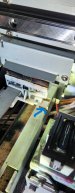
I took the side rail off and it looks perfect. Put it back on and put a small piece of white vinyl around tab. See if helps detect it. It is working perfect right now. Some reason the sensor can't see the tab, so I brightened it up. lol. I have started it up 3 times already and it worked well. Now just need to try and print and hope don't do it during a print. Thanks again for walking with me in this weird problem. I will update if I get errors again. Wasted money on a sensor but got a lot of good education on wiper stuff.
 

Attachments

  • tab.jpg
    tab.jpg
    268 KB · Views: 15
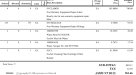
My repair guy just emailed and asked if I still wanted help. I fixed it with a piece of white vinyl and a $16 sensor I didn't even need. They want $961 to come and fix. I should become a repair tech.
 

Attachments

  • Screenshot_30-10-2026_21157_.jpeg
    Screenshot_30-10-2026_21157_.jpeg
    107.1 KB · Views: 9
Top