-
I want to thank all the members that have upgraded your accounts. I truly appreciate your support of the site monetarily. Supporting the site keeps this site up and running as a lot of work daily goes on behind the scenes. Click to Support Signs101 ...
You are using an out of date browser. It may not display this or other websites correctly.
You should upgrade or use an alternative browser.
You should upgrade or use an alternative browser.
Smudges
- Thread starter kelly r
- Start date



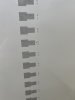
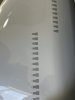
The first pic is printed on oracal 3551 that I changed to and the second pic is the oracal 3641 which I always do test prints on as it’s cheaper.
I printed into the roll and in the centre of the vinyl and still has the smudges. I never get fingerprints anywhere on it other than maybe the edges.
Could the roll be defective? I’ve just been doing alot of cleans, etc. and been frustrated since fall never thinking it was the vinyl. Thoughts?
The calibration print is still hard to tell.
I printed into the roll and in the centre of the vinyl and still has the smudges. I never get fingerprints anywhere on it other than maybe the edges.
Could the roll be defective? I’ve just been doing alot of cleans, etc. and been frustrated since fall never thinking it was the vinyl. Thoughts?
The calibration print is still hard to tell.
Attachments

Last edited:

Boudica
I'm here for Educational Purposes
Are you still getting smudges? I don't see them in the new pics. Yes vinyl can plasticise and go bad. If it's an old roll, or if it's been through extreme temp changes... and sometime it's just a bad batch or roll.The first pic is printed on oracal 3551 that I changed to and the second pic is the oracal 3641 which I always do test prints on as it’s cheaper.
I printed into the roll and in the centre of the vinyl and still has the smudges. I never get fingerprints anywhere on it other than maybe the edges.
Could the roll be defective? I’ve just been doing alot of cleans, etc. and been frustrated since fall never thinking it was the vinyl. Thoughts?
The calibration print is still hard to tell.
Yes I am still getting smudges on that same roll. The different roll is fine but I’m not sure why the calibration print is printing like that..but no smudges.Are you still getting smudges? I don't see them in the new pics. Yes vinyl can plasticise and go bad. If it's an old roll, or if it's been through extreme temp changes... and sometime it's just a bad batch or roll.
Is the brand I use okay?