
-
I want to thank all the members that have upgraded your accounts. I truly appreciate your support of the site monetarily. Supporting the site keeps this site up and running as a lot of work daily goes on behind the scenes. Click to Support Signs101 ...
You are using an out of date browser. It may not display this or other websites correctly.
You should upgrade or use an alternative browser.
Sp300i parameters
- Thread starter ayepeacee
- Start date
Roland Certified Tech
New Member
were you able to save the parameters first?
You can’t just load them without doing a system parameter initialization first. Have you down so?
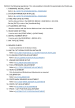
Here are the steps:
Perform the following operations after replacement.
1. FIRMWARE INSTALLATION
Refer to [4-2 HOW TO UPGRADE/INSTALL FIRMWARE]
2. SYSTEM PARAMETER INITIALIZE
Refer to [4-2 HOW TO UPGRADE/INSTALL FIRMWARE]
3. IP ADDRESS SETTING
Start the machine with the Service Mode and set in the User Menu.
4. PUT PARAMETER
Refer to [4-2 HOW TO UPGRADE/INSTALL FIRMWARE]
5. TIME AND DATE SETTING
Set the date and time in the [SERVICE MENU] > [SUB MENU] > [CLOCK].
*Set the [DATE] in order of the [Year/Month/Day].
6. SENSOR CHECK
It can be performed in the Sensor Check.
7. CROP MARK SENSOR ADJUSTMENT
Refer to [4-7 CROP MARK SENSOR ADJUSTMENT]
8. CROP-CUT ADJUSTMENT
Refer to [4-8 CROP-CUT ADJUSTMENT]
Necessary when the voltage is adjusted in the CROP MARK SENSOR ADJUSTMENT.
The parameters we not saved before full reset. I was told I could get them from an operating printer. I'm trying to bypass the encoder setup fail after replacing a beltwere you able to save the parameters first?
You can’t just load them without doing a system parameter initialization first. Have you down so?
Here are the steps:
Perform the following operations after replacement.
1. FIRMWARE INSTALLATION
Refer to [4-2 HOW TO UPGRADE/INSTALL FIRMWARE]
2. SYSTEM PARAMETER INITIALIZE
Refer to [4-2 HOW TO UPGRADE/INSTALL FIRMWARE]
3. IP ADDRESS SETTING
Start the machine with the Service Mode and set in the User Menu.
4. PUT PARAMETER
Refer to [4-2 HOW TO UPGRADE/INSTALL FIRMWARE]
5. TIME AND DATE SETTING
Set the date and time in the [SERVICE MENU] > [SUB MENU] > [CLOCK].
*Set the [DATE] in order of the [Year/Month/Day].
6. SENSOR CHECK
It can be performed in the Sensor Check.
7. CROP MARK SENSOR ADJUSTMENT
Refer to [4-7 CROP MARK SENSOR ADJUSTMENT]
8. CROP-CUT ADJUSTMENT
Refer to [4-8 CROP-CUT ADJUSTMENT]
Necessary when the voltage is adjusted in the CROP MARK SENSOR ADJUSTMENT.
Roland Certified Tech
New Member
Just run the linear encoder initialization then. You only need to enter parameters if you replaced the main board.
Or forpossible serious corruption.
and if you do not have the parameters, you just run down the list of all the adjustments and enter each
The one thing that is hard to get is that head rank, however, it can be done with a mirror,
and if you do not have the factory calibration setting, you will have to run that as well. That is the hardest one.
Linear encoder keeps failingJust run the linear encoder initialization then. You only need to enter parameters if you replaced the main board.
Limit initialisation completes fineJust run the linear encoder initialization then. You only need to enter parameters if you replaced the main board.
Roland Certified Tech
New Member
What was the original problem you had?
Clean the scale and sensor, make sure scale is centered in sensor.
Replace scale or sensor.
If the scale is new, is it oriented correctly left and right? Up and down does not matter, but you have to have the correct left end on the left side if the printer, right on right.
Belt failed, replaced the belt, completed limit initialisation fine and went to setup linear encoder and kept failing.What was the original problem you had?
Clean the scale and sensor, make sure scale is centered in sensor.
Replace scale or sensor.
If the scale is new, is it oriented correctly left and right? Up and down does not matter, but you have to have the correct left end on the left side if the printer, right on right.
Changed encoder strip , same issue fail. Changed sensor, same issue fail.
If I try drop the rollers to print I get service call 0107.
Reset printer and re-entered IP address etc. and still not working.
Removed battery from main board and have been told I can "trick" the printer to bypass the encoder setup by entering parameters via Peck from a working sp300i , is this correct?
Roland Certified Tech
New Member
Did you tension the belt with the tension tool and center it on both pulleys properly?
If you don’t have the parameters, you just build them step by step, you do not need to enter via peck.
Linear Encoder in Service Mode needs to pass, period.
Did you purchase a genuine Roland OEM linear encoder scale and sensor?
Here are the steps:
Attachments
Roland Certified Tech
New Member
Possibly if too tight or loose.
Usually, it is dirt or a scratch on the scale, or a smudge
Check the scale holding it up to the light.
Only hold it by the edges
If new and you were careful, you should not have a issue.
clean it with solvent cleaner using soft cloth and make sure it is dry.
wipe only in one direction
and it must be centered in the sensor
As you have replaced the encoder strip and sensor it could be the printer is not getting any signal from the sensor. There isn't a way to trick the printer, it needs to be able to do the linear encoder reading to operate. ( As RCT says, there is no point loading the parameters from Peck as the linear encoder reading is not part of this ).
You need to check a) the sensor is getting power and b) the signal from the sensor is getting to the mainboard. The sensor signal goes to the print carriage board ( which could be faulty ) then on to the mainboard. Check the sensor is properly plugged into the print carriage board and there is continuity to the circuit first