

-
I want to thank all the members that have upgraded your accounts. I truly appreciate your support of the site monetarily. Supporting the site keeps this site up and running as a lot of work daily goes on behind the scenes. Click to Support Signs101 ...
You are using an out of date browser. It may not display this or other websites correctly.
You should upgrade or use an alternative browser.
Vector software
- Thread starter Craig Keller
- Start date


WildWestDesigns
Active Member
By "it" I take it you used the auto conversion tools that Corel has, is that a correct assessment? There might be one that may get it right or one that may be closer to getting it, but that's always a crap shoot. My go to is usually some combination of Bezier Pen - Primitive Shapes - Pathfinding Tools and try to ID fonts if it can be done relatively trivially as a first attempt. In all honesty, embroidery digitizing software has better tools for this compared to vector software (depending on what level of said embroidery software you have) as that's really what digitizers do (even if it's their own stuff) and why so many also offer vector services as well. But not anything auto conversion, they would be manual tools, just easier/quicker depending on the software one is using.Would the two vector softwares that are talked about in this forum clean this up to be usable? I try coreldraw and it didn't do well with this. Can someone give me there thoughts.
Phil Blair
New Member



Boudica
I'm here for Educational Purposes
true. I'll use what I just used for Craig as a shortcut. And as a capable user of any software that supports vector.. Adobe illustrator, Correl draw, affinity, ink capes........... anyone with skills and capabilities in manipulating that vector output can further clean it up. Way faster solution when you're real goal is manufacturing.It really depends on how clean and detailed the original artwork is. Most vector software can help clean up the shapes and edges, but you may still need to manually adjust some areas before it’s suitable for digitizing. CorelDRAW can handle a lot of this, but sometimes tracing and cleanup by hand gives better results than relying on the automatic tools.
Phil Blair
New Member
All true... I often up-sample prior to the trace - and defiantly, always up the contrast then covert to monotone if colour is not involved/required. Apparently Corel is showcasing a "text to vector" and enhanced tracing features in the near future... I await with bated breath.
WildWestDesigns
Active Member
Be thankful you haven't dealt with auto conversion in digitizing software and as much as they cost(could buy a perpetual license for Flexi multiple times, well when that was a thing if I recall correctly) one would think those would be good.Way faster solution when you're real goal is manufacturing.
Sorry I've been soured on some of those automated methods.
Boudica
I'm here for Educational Purposes
Beta, then there's a fee. Adobe already has it, but you only have so many "ai" credits. Depending on your plan. Then you have to buy more ai credits.All true... I often up-sample prior to the trace - and defiantly, always up the contrast then covert to monotone if colour is not involved/required. Apparently Corel is showcasing a "text to vector" and enhanced tracing features in the near future... I await with bated breath.
Honestly I would like using ai to cost more so people would use it less.
Phil Blair
New Member
Yep, they only ever get you 90% there if you are lucky - then examine to see what was missed or screwed up - and fix manually. defiantly can save hours of redrawing on complex designs by hand though.
Phil Blair
New Member
We also get the usual - Ai did this for me can you please make it a reality... I get them to ask AI what would be required to produce the design as per their desired result... this is often an eye opening experience for them... and entertaining for me.
WildWestDesigns
Active Member
The only ones that would actually go up in price are going to be the more frontier models, the older ones would just get pushed down even into even the free tier. Of course, we do have even oss/open weights ones that can be run locally and without internet (hardware is going to be what gets them there). Eventually things will get more expensive, more locked down, but there will always be the cheapskate tier, that's how one sucks them in.Beta, then there's a fee. Adobe already has it, but you only have so many "ai" credits. Depending on your plan. Then you have to buy more ai credits.
Honestly I would like using ai to cost more so people would use it less.
Craig Keller
New Member
Thanks is it free software? Give me some more info on what u used please. Thanks!
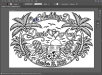
Vectorizer.ai - 30 seconds. Need to fix the "O" in October, the little tail was so fuzzy the software didn't know what to do with it.
View attachment 183606
Phil Blair
New Member
If you are after 'Free' try Inkscape - it has a respectable trace feature - I've also had success with the build-in trace in Lightburn.Thanks is it free software? Give me some more info on what u used please. Thanks!
Boudica
I'm here for Educational Purposes
It's like $10 a month. I can usually do the same with what you had in illustrator using trace, but the time spent dialing it in an fixing... I like this short cut.Thanks is it free software? Give me some more info on what u used please. Thanks!