nitewolf10
New Member
I'm not one to write a post I'm more of a lurker, but I had to share my problem and eventual solution because it wasn't a typical bad printhead/dampers/caps/encoder strip/heaters/motors.
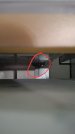
After a day and a half of wasted ink and vinyl, doing clean cycles, manual cleans, made sure the encoder strip was cleaned and not damaged, calibrations and bi-dir adjustments, test print the heads all fine, but there was this constant drops, streaks, and smears over every print and at the end of a print this weird line streak just above the print. I knew that was a clue. Got out the brightest flashlight I have and smashed my face up against the safety cover and watched the ink spray and I finally saw it. The black clip that locks the print carriage into the capping station had a glob of ink with fibers hanging from it. Cleaned it off and now printing great again. All that wasted ink and vinyl on something that's not directly part of the actual printing we all look for. It got me wondering how many other may be having the same issue pulling their hair out and a part that has nothing to do with the actual printing may be the problem.
I've been using these printers for 15+ years and this is a new one.
After a day and a half of wasted ink and vinyl, doing clean cycles, manual cleans, made sure the encoder strip was cleaned and not damaged, calibrations and bi-dir adjustments, test print the heads all fine, but there was this constant drops, streaks, and smears over every print and at the end of a print this weird line streak just above the print. I knew that was a clue. Got out the brightest flashlight I have and smashed my face up against the safety cover and watched the ink spray and I finally saw it. The black clip that locks the print carriage into the capping station had a glob of ink with fibers hanging from it. Cleaned it off and now printing great again. All that wasted ink and vinyl on something that's not directly part of the actual printing we all look for. It got me wondering how many other may be having the same issue pulling their hair out and a part that has nothing to do with the actual printing may be the problem.
I've been using these printers for 15+ years and this is a new one.