• I want to thank all the members that have upgraded your accounts. I truly appreciate your support of the site monetarily. Supporting the site keeps this site up and running as a lot of work daily goes on behind the scenes. Click to Support Signs101 ...

Need Help Versacamm SP300i Black printing Purple/Low quality

treptedesigns

New Member
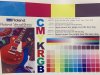
Hi everyone, need a little help here printing a quality Black again. Seems like over time my quality of Black has degraded into Purples and lesser quality shades of Black. I've read all the discussions I could find and tried to apply any solutions that I came across with little success. Please reference the attached images of test prints and an original decal showing the Black that I used to be able to print. I'm using Coreldraw to Versaworks and tried every different color setting I can think of with similar results. The one thing that did seem to help was printing RVW-BK21A with overprint set to 3 which printed a pool of ink that was obviously pretty dark. Thanks in advance!
 

Attachments

  • IMG_6501.jpg
    IMG_6501.jpg
    2 MB · Views: 39
  • IMG_6503.jpg
    IMG_6503.jpg
    1.1 MB · Views: 29
  • IMG_6504.jpg
    IMG_6504.jpg
    2.8 MB · Views: 26
  • Black before issues.jpg
    Black before issues.jpg
    1.8 MB · Views: 35

Solventinkjet

DIY Printer Fixing Guide
The fact that it was a gradual change from good black to purple tells me it's head degradation. Your nozzle check isn't horrible but not optimal. Yellow/Magenta look good but Cyan/Black have some deflections. Usually that's not enough to completely change color like this but it is a sign that the head is older and degrading.

1 solution would be to linearize your head output to bring it back into the proper spec. Over time, as heads degrade, they don't print proper saturation at certain levels. So if you send 50% black it might only print 35% which shifts your colors. It does require equipment and knowhow though which many shops don't have. It also isn't a guarantee it fixes it completely since the black output is looking pretty bandy and you need to overprint 3 times to get better results.

Other than fiddling with the CMYK values in the RIP over and over again until you get better results, it might be time for a new Cyan/Black head. Do you know how old it is?
 
  • Agree
Reactions: 1 user

treptedesigns

New Member
I appreciate your response. I bought this machine brand new in 2014 from a dealer in NV and it's served me well ever since. I figured I would need a head replacement sooner or later. Now the question is, would it be worth it? I guess I could think about a newer model and just keep this one as a cutter. Any thoughts are appreciated, thanks!
 

Solventinkjet

DIY Printer Fixing Guide
I appreciate your response. I bought this machine brand new in 2014 from a dealer in NV and it's served me well ever since. I figured I would need a head replacement sooner or later. Now the question is, would it be worth it? I guess I could think about a newer model and just keep this one as a cutter. Any thoughts are appreciated, thanks!
DX4 heads are still available for $500-$600. They're good machines and I see people still using them all the time. I'd say it's worth it unless you want to upgrade speed and quality. The odds your magenta/yellow head goes bad sooner rather than later is also a consideration. Not to mention you will mostly only find used main boards and other circuit boards for that machine these days if they fail since it's no longer a current model for Roland.
 

treptedesigns

New Member
Awesome, I can't thank you enough for your help! Saves me from continuing to troubleshoot. Will update once I change the head.
 
  • Agree
Reactions: 1 user

2ny

New Member
Hi.
We also have an SP300 that we got back in 2005/2006. The machine has of course had multiple services and parts that we had to change, but the machine still runs pretty well.
That said; The Cyan/Black head has an issue on this machine we experience -probably because of the black ink I will presume. Your testprint looks very similiar to what we get when our prints degrade.
This happens every one to three years apart, and we have had to change our cyan/black head about 8-10 times since the machine was new. The magenta/yellow head have held up for 20 years, but we had to change both heads recently because of degrading quality. Now we are on our last leg on this machine I would imagine, beacuse of the overall wear and tear on the rest of the machine also. But it is in use daily and still has a good quality on the print/cut functions. Keep the machine clean and regularly check heads etc. Good luck with your efforts.

Regards
Tony
 

JKstorm

New Member
This may not be likely however if you use Versaworks and "Convert Spot Color" somehow became unchecked your black will be purple. See pic.
 

Attachments

  • Spot-Color.jpg
    Spot-Color.jpg
    29 KB · Views: 7
  • Agree
Reactions: 1 user

treptedesigns

New Member
This may not be likely however if you use Versaworks and "Convert Spot Color" somehow became unchecked your black will be purple. See pic.
Thanks for the tip. I've verified all check boxes are correct (even tried multiple check/uncheck configurations). I'm able to limp along printing RVW-BK21A with 2x overprint for now until I decide to replace the head or upgrade my printer. Thanks again! Hopefully this helps others as well.
 

treptedesigns

New Member
Hi.
We also have an SP300 that we got back in 2005/2006. The machine has of course had multiple services and parts that we had to change, but the machine still runs pretty well.
That said; The Cyan/Black head has an issue on this machine we experience -probably because of the black ink I will presume. Your testprint looks very similiar to what we get when our prints degrade.
This happens every one to three years apart, and we have had to change our cyan/black head about 8-10 times since the machine was new. The magenta/yellow head have held up for 20 years, but we had to change both heads recently because of degrading quality. Now we are on our last leg on this machine I would imagine, beacuse of the overall wear and tear on the rest of the machine also. But it is in use daily and still has a good quality on the print/cut functions. Keep the machine clean and regularly check heads etc. Good luck with your efforts.

Regards
Tony
Tony, thanks for the info. It definitely seems like my issue. Now I just have to decide what I'm going to do about it...
 
Top