• I want to thank all the members that have upgraded your accounts. I truly appreciate your support of the site monetarily. Supporting the site keeps this site up and running as a lot of work daily goes on behind the scenes. Click to Support Signs101 ...

VG2-540 Pressure Pumps Replacement Service

graphicsphere

New Member
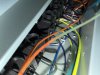
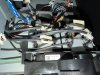
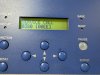
I'm getting the service call 0380 error on my VG2-540. I checked dampers and suction pumps in the front cover and all appear ok but some of the ink lines coming out of the pressure pumps in the rear cover look like there is no ink flow and then two of the cartridge slots blink saying to remove and reinsert the cartridges which I think means two of the pressure pumps could have a clogging problem. I put cleaning cartridges in those two slots but still no ink flow from the pressure pumps. The service manual recommends doing a pump up to replace the pressure pumps which I don't think will work in my situation which is why I wanted to ask before I do anything. When you do a pump up with the VG2-540 does the printer ask to remove all the cartridges and then it pumps all ink out of the ink lines? Does anybody have a video on a pump up or can explain what the pump up does? In my situation if two pressure pumps might have a clog than doing a pump up can't be performed right? I just want to know before I go in and pinch the pressure pump lines with forceps before removing them.

 

Attachments

  • IMG_0868.jpeg
    IMG_0868.jpeg
    2.2 MB · Views: 17
  • IMG_0867.jpeg
    IMG_0867.jpeg
    2.1 MB · Views: 9
  • IMG_0870.jpeg
    IMG_0870.jpeg
    2.8 MB · Views: 11
  • IMG_0822.jpeg
    IMG_0822.jpeg
    3.4 MB · Views: 11
Yes, the pump up, removes the ink from the printer.
A head wash, washes the ink lines and the heads and pulls all the ink out of the printer.
If both of these fell, you most likely have a clog somewhere.
You can actually test all the components with the syringe, however, you do need to turn the pressure pumps to the proper spot.
 
It is a combination of multiple head issues, The EE is all 4 heads
I will tell you that I have only had to put in one pressure pump in nine years of TrueVis. This was a white pump and the printer had quite some time. .
It has always been the heads. You do need to check the damper fill sensors as well. You can swap them from one to the other and see where the error goes.

when did the printer last work properly and what were the issues that you were having. How did this all come about?
being you have all the covers off you can actually start removing ink lines, one at a time and suction them out with the syringe.
You can watch the ink lines and see what happens.
 

graphicsphere

New Member
This VG2-540 was from a closed print shop that lost their lease and picked it up from them last week and they said heads are in good shape but just needs some cleanings since it sat for a few months. Looking at the report I see it was last working in November 2025. On my other VG-540 you answered a question for me awhile back when I changed the print head myself and everything is well with my VG-540 so I do have some experience with the VG ink system, dampers, caps and heads. I just haven't done a pump up or head wash yet.

Now that you mentioned about pressure pumps not usually being the problem if it's only been a few months sitting, I will probably assume that it's still the heads and dampers causing my issue. I tried gently syringing the cap line of one of the heads and I do get some ink flow so I'm going to try that with the other 3 heads just to see if they're not completely clogged. Also I'm going to check dampers more closely and change them if they don't fill correctly with a damper fill. ***I did check the damper fill sensors and they all work correctly when I press the damper arms in and out.

If a little bit of Roland TR2 ink has been in there since November 2025 what do you suggest I try first: head wash, pump up or damper fill?

Can I do it with 2 TR2-CL or do I need 4 TR2-CL? Where do I buy the extra TR2-CL Trays? I do have 2 TR2-CL trays.
 
Last edited:
You can certainly check the ink lines if you remove them from above the print head.
You can pull the cartridges out, and you can actually syringe from above the print head.
This will verify no clog in the ink line from the I/C to the head.
A head wash will not clear clogged lines. A pump up will remove ink from the ink line.
Try a pump up and if the ink does not come out, you most likely know you have a clogged head,s A head wash requires TR-CL cartridges not TR2-CL cartridge.
since you’re in service mode, you can check the fill damper sensors there.
It is most likely the heads.
 

graphicsphere

New Member
How does the ink flow from I/C to the head? I thought the choke valves and pressure pumps restrict ink flow when power is off? Can you explain exactly how to syringe once I unhook the Printhead tubes coming in from above to check if the ink lines are clogged?

Would I need 2 TR-CL pouches or 4 to do head wash? Also do you just take out the TR2 color pouch and replace with the TR-CL cleaning pouch or does it need a special tray for each TR-CL cleaning pouch?
 
Last edited:

graphicsphere

New Member
I have gotten different answers from different people about the VG2 ink lines. Some people say I can syringe the lines when the power is off and other people including the service manual says that the ink lines are choked so the damper lines will not leak ink when removed.
 

graphicsphere

New Member
I finally tried doing a pump up because I needed to see if I could get the ink out of the lines. The Pump Up in service mode is what I needed. I noticed the ink finally flowing through all the lines except for the yellow. So I took apart the yellow ink lines and got all of them to unclog except for the yellow choke valve. So I took the yellow choke valve off and when I push a paper clip in the input side it is super gummy and still can’t get it to unclog. So now I’m not sure how to unclog the choke valve.
 
Last edited:

graphicsphere

New Member
I did end up unclogging the yellow choke valve but still the pressure pump won't let me syringe the ink line from the i/c to the head. Are you still saying that a pressure pump should have ink flow when printer is powered off?
 
Last edited:

graphicsphere

New Member
Before I replace the clogged pressure pump I’m going to try taking it out of the printer and hooking a syringe with cleaning fluid and manually turn the pump and see if I can get it to unclog.
 

graphicsphere

New Member
Can you explain how to convert the Service Call Hexidecimal error so I can know which pump or color channel is giving the error? Before you said that Service Call 0400 (00EE) was all 4 heads. I repaired 4 out of 8 of the Pressure Pumps and now I’m getting Service Call 0400 (00FF). I looked at the service manual and it says the different 0400 codes but it doesn’t explain the Hexadecimal 00FF.
 

AB Rolan

New Member
When you say you repaired 4 of the pumps, how did you repair them? Did you test and make sure they pushed fluid?
 

graphicsphere

New Member
Yes I opened the pressure pumps up and replaced the tubing inside because they were flattened, hard and clogged solid. I’m going to replace all of the pressure pump tubing since the tubing is probably going bad in the other pressure pumps too.

I would like to know how to convert the hexidecimal error 00FF so I can know which pumps or color channels are giving the error.

Before I was told that 00EE meant all pumps and color channels.
 
Top