• I want to thank all the members that have upgraded your accounts. I truly appreciate your support of the site monetarily. Supporting the site keeps this site up and running as a lot of work daily goes on behind the scenes. Click to Support Signs101 ...

Fitting....

WildWestDesigns

Active Member
Article

I guess with having to deal with those "buyouts", might have to cram something else in there for yet another service (more data collection for the next upsell (and that's the G version of this tin foil hat)). Maybe I'm just too much of a dinosaur at this point, but to me this isn't what an OS should be. It is almost a parody of what it once was (atleast in my aged mind).
 

Johnny Best

Active Member
T hey can cram Microsoft in with Jimmy Hoffa in a 55 gal can and bury it somewhere for all I care. I am an Apple user with track marks on my arms. Never have a problem with any of it's OS. My IPhone works great and see where the new foldable one that costs $2,000 breaks. Its always something!
 

WildWestDesigns

Active Member
T hey can cram Microsoft in with Jimmy Hoffa in a 55 gal can and bury it somewhere for all I care. I am an Apple user with track marks on my arms. Never have a problem with any of it's OS.
That's fine and dandy for the Apple junkie. I wasn't talking about Apple (although I have known people to deal with kernel overheat bugs on their laptops, iPhones that crap out after two years, didn't Apple also have batterygate as well (which was more intential)?).

My IPhone works great and see where the new foldable one that costs $2,000 breaks. Its always something!
Cramming an ad into something, is vastly different compared to over time, yea things break. And the more one tolerates now, the less control there is later on. I seem to recall a patent that Ford had to serve ads to peoples "infotainment" while on the road (nothing like distracting drivers with ads, but I digress on that one). I don't necessarily want ads while I'm driving down the road, nor do I want ads given to me while I'm trying to get work done. Now, as far as I know, they haven't used it...yet, just like Apple has that patent for OS level advertising that lists Jobs as the lead developer on it (and I think they have had it since 07, 08 somewhere around there).

Having an OS that has it's issues (Windows mainly talking about here) and yet, finding time to not only hock their own stuff, but 3rd party stuff as well (this is with other things that have been known to pop up in the start menu, not about the original article linked). Spend that time fixing the product that most people pay for, even if it's hidden within the cost of whatever off the shelf device one bought (those that do custom builds have to deal with the cost flat out).
 

unclebun

Active Member
I think calling that an advertisement is a real stretch. The article explains that they added a place to Settings where, if you have a Microsoft 365 subscription, you can set your payment method, rather than having to open a browser and navigate to your Microsoft account online. Sounds like an actual convenience move for a person who has bought in to the whole subscribe to everything theory.
 

WildWestDesigns

Active Member
I think calling that an advertisement is a real stretch. The article explains that they added a place to Settings where, if you have a Microsoft 365 subscription, you can set your payment method, rather than having to open a browser and navigate to your Microsoft account online. Sounds like an actual convenience move for a person who has bought in to the whole subscribe to everything theory.
You mean like how Windows Spotlight started out as a convenience feature and was later used for full blown ads?
In File Explorer started off just doing recently used documents and now is used to show ads
Start Menu started off the same way as File Explorer, used to be commonly used links/apps, now get ads for Candy Crush and others.
The Settings Menu (same place that this article is doing) is used for copilot, one drive, edge etc even though users don't have those or chose a different program (but due to the baked in nature, can't remove the original program, in this case Edge without removing other things as well, that one may want)


Could easily do it through the app and not necessarily directly within the OS. I mean, the trust level is the same, it's all MS/Windows at the end of the day. Having it within an area that everyone has, it really isn't needed. If this is ONLY targeting those that have 365, target it within 365, show up an alert and if they click to go further, call up the OS level payment kiosk. Which ironically is probably going to be webview2, which is just a minified browser, so opening up a browser regardless and dealing with the same JS level attacks as well, doesn't matter if it's webview, electron, or browser as long as it has the WAN access. Now, if the 365 subscription also includes the OS itself (for those that don't otherwise qualify say for Enterprise may choose this), that could be something else, but outside of business, how many actually do that?
 

unclebun

Active Member
Microsoft 365 Business and Enterprise plans can be purchased which include the OS as part of the subscription.
 

WildWestDesigns

Active Member
Microsoft 365 Business and Enterprise plans can be purchased which include the OS as part of the subscription.
This wasn't targeting Business/Enterprise plans (and yes, I already mentioned one could get the OS as part of the subscription), this is targeting consumer level with personal accounts, which is typically just the office suite. Bare in mind, actual Enterprise users usually have group policies that would affect what individual terminal users (and if one is doing OS as a subscription, that is effectively a dummy terminal, I didn't like it back when I was younger, don't know, but at least the server was local back in the day) would have access to, especially with billing. This is for us peons.
 

WildWestDesigns

Active Member
I am an Apple user with track marks on my arms.
Since you are the resident Apple junkie, I'm going to go on a tangent (I know, I know, big surprise) and ask: Are you going to get their upcoming touchscreen laptop(which makes since since the UI even on their laptops/desktops gives me iOS vibes)? Article
 

netsol

Premium Subscriber
You mean like how Windows Spotlight started out as a convenience feature and was later used for full blown ads?
In File Explorer started off just doing recently used documents and now is used to show ads
Start Menu started off the same way as File Explorer, used to be commonly used links/apps, now get ads for Candy Crush and others.
The Settings Menu (same place that this article is doing) is used for copilot, one drive, edge etc even though users don't have those or chose a different program (but due to the baked in nature, can't remove the original program, in this case Edge without removing other things as well, that one may want)


Could easily do it through the app and not necessarily directly within the OS. I mean, the trust level is the same, it's all MS/Windows at the end of the day. Having it within an area that everyone has, it really isn't needed. If this is ONLY targeting those that have 365, target it within 365, show up an alert and if they click to go further, call up the OS level payment kiosk. Which ironically is probably going to be webview2, which is just a minified browser, so opening up a browser regardless and dealing with the same JS level attacks as well, doesn't matter if it's webview, electron, or browser as long as it has the WAN access. Now, if the 365 subscription also includes the OS itself (for those that don't otherwise qualify say for Enterprise may choose this), that could be something else, but outside of business, how many actually do that?
i always found that microsoft is most dangerous when they pretend they are doing you a favor

i had an uncle who was like that
 

unclebun

Active Member
I just took a look in Settings on my Windows 11. Under Accounts there are already icons for Payment Options, Order History, and Account & Billing Help. Currently all three open a link to Microsoft Account in a browser. So if they are changing those to just open a window that has the same login and payment information, I don't see how this is adding advertising to Windows.
 

WildWestDesigns

Active Member
I just took a look in Settings on my Windows 11. Under Accounts there are already icons for Payment Options, Order History, and Account & Billing Help. Currently all three open a link to Microsoft Account in a browser. So if they are changing those to just open a window that has the same login and payment information, I don't see how this is adding advertising to Windows.
Let me ask you this: do you already have an active 365 subscription? I think there is a Start Menu component of this as well, but it only shows up if one is an active subscriber. So why is it that way on the start menu (which I don't think a subscription account management should exists in an app launcher, but within the specific app itself), but it is visible for everyone regardless of their status in the OS control/settings panel? And if I recall correctly, there is a flyout that hocks 365 for those that don't have it in the control/settings panel.

Why in the control panel that is supposed to control the areas of the base OS, are we dealing with subscriptions and turning on auto billing etc? I think you can turn it off in this area, not in the Start area, but again, it's opt out and I think that it is under "Suggestions" or something like that, "suggestions" is just a less odious word for "ads". After all, for a time Candy Crush was just a "suggestion".

However, lets go back to the Start Menu one. Let's say that you turned off auto billing, that does trigger the Start Menu to show up that msg. I ask, how is that a neutral convenience that isn't hocking turn on auto billing (there is one way aspect to this, nothing to turn off auto billing, but only to turn it on, there, if this was a true convenience feature, it would present all options including canceling a subscription)? This is also akin to how One Drive is hocked within the system as well (both in the start panel as well as in the control/settings panel). Now again, this is for people that have 365 and are current and yet it's showing up in the Start Menu (albeit randomly I think), is that really the appropriate place? What is the advantage for the consumer to be on auto renew? I don't have any knowledge of discounts for that in this case (or in any). However, people do tend to sometimes forget to cancel things when auto renewed, so money still leaves their pocketbook to the provider from time to time (especially now that just about everything for the most part is a subscription). Just like there is a reason that some things are opt out versus opt in, how many change the defaults on average?
 
Last edited:

unclebun

Active Member
I don't have a 365 subscription. There is no ad for 365, Candy Crush, or anything else in my Windows 11 start menu.

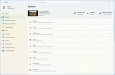
The only place there is anything about 365 in Settings is a small icon in the System part of Settings. It says "Microsoft 365 View Benefits"

1793223200728.png
 

unclebun

Active Member
Also, Control Panel is exactly the same as it was in Windows 10 and Windows 7. No ads or anything. Just a bunch of different icons for different functions.

Settings is a different place and has many more things that Control Panel does, and has many places where it's harder to find what you want if you are used to how Control Panel is set up and like to make things just the way you want.

But I do not see any inundation of advertising in Windows whatsoever. I think these writers who complain about it all the time are just getting clicks. or else Microsoft sends them a different version of Windows than I have....which may be true. Many writers are complaining about the Windows Insider builds, which often contain things being tried out that never make it to full release.
 

WildWestDesigns

Active Member
Also, Control Panel is exactly the same as it was in Windows 10 and Windows 7. No ads or anything. Just a bunch of different icons for different functions.

Settings is a different place and has many more things that Control Panel does, and has many places where it's harder to find what you want if you are used to how Control Panel is set up and like to make things just the way you want.

But I do not see any inundation of advertising in Windows whatsoever. I think these writers who complain about it all the time are just getting clicks. or else Microsoft sends them a different version of Windows than I have....which may be true. Many writers are complaining about the Windows Insider builds, which often contain things being tried out that never make it to full release.
I noticed that you have a "local account". Those are going to get the ads like try this or that Windows service. If you sign up through your MS account, that's where you get the targeted adds, they tend to have more telemetry on the user at that point.

As far as the authors, it tends to be those that are in the canary channel, so it hasn't been sent out in the wild wild. I think MS calls it their Insider's program. The thinking is there and lets not forget that some things made it in that people did not want or at least it was a very vocal minority.

As to candy crush, that promotional specifically has been removed. But it was very much a thing, I think Pro users and above had better options for removal, but Home users did not and even at that point, it has been documented that switches get toggled back after updates. Which I remembered if one got Pro or Enterprise, could opt out of, but that was changed later on.

I noticed that you said you didn't have 365, but yet, we have an icon to view benefits of Windows 365 right there in the settings panel for an OS. To me, I would count that as an ad. Why else would they want to tell you about the benefits of using 365, but to sell you on something (has that always been there or is that relatively new?). What about One Drive (do you have an account for one drive)? Again, why? Maybe people are just so used to to that it doesn't phase them. I could just be a dinosaur in that respect.


Edit: The 365 msg in the Start Menu, is only supposed to be sporadic and for only those that have 365, but DO NOT have auto renew/pay etc setup. There are very specific conditions for that one. So you don't even meet having the service, it won't ever trigger for you.
 
Last edited:

unclebun

Active Member
I do have One Drive. It was used with my Windows Phone when I had one, and remains a repository for the photos I took with that phone. The 365 icon? Frankly I have no idea how long it's been there. I had to go looking to find it. It was the only place I saw anything about 365 in Settings. But it must be the "old" one since it opens a browser window. I hardly find an icon I've never seen before and don't care about to be intrusive advertising.
 

WildWestDesigns

Active Member
I do have One Drive. It was used with my Windows Phone when I had one, and remains a repository for the photos I took with that phone. The 365 icon? Frankly I have no idea how long it's been there. I had to go looking to find it. It was the only place I saw anything about 365 in Settings. But it must be the "old" one since it opens a browser window. I hardly find an icon I've never seen before and don't care about to be intrusive advertising.
That would explain why the one drive said "Sign In" versus "View Benefits" that 365 did.

One Drive was the most intrusive one. My dad, had it show up through the File Explorer and he never had it. I can actually understand it if he had it and it showed up in File Explorer. It backs up directories and maybe in the settings part if it backs up settings as well, maybe. 365 is one that doesn't belong anywhere except within 365 apps.

New or old, they are going to open a browser, be it minified (webview) or full one, it will be a browser window most likely. Webviews look more like native apps (it's how Canva distributes it's binaries), but it is just a browser, look up in task manager, see a lot of workers that are browser based. Now it does run roughly half the RAM of an Electron app, but it still isn't truly native.

If you don't care about the advertising, you don't care about it. It is more bloat in the OS and ironically more vectors into the OS. I'm one of those that believes that production machines should be all local and actually air gapped as well. Part of the reason that we have the problems that we have in terms of security is because of crap like this. Convenience always comes at a price.
 
Top