
Omega Plotting
New Member
Hello, looking for any guidance provided before calling in professional repair.
Printer suddenly stopped printing black ink over the weekend, no error shown. Checked that the ink cartridge was still sufficiently full, power cycled, no errors on restart.
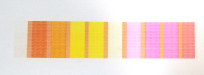
Ran a strong cleaning and did a couple nozzle checks to no avail. Moved the print head into CR Maintence and removed the cover to take a photo and see if anything was blatantly amiss such as with the black subtank. Replaced the cover and it returned to standby position.
Shortly thereafter it threw the 085 Head Heat error, looking up online it shows that is usually a result of a short in the wiring to the print head. I found [this old forum] post pretty much outlining the exact beginning of my issue with no followup and a pretty grim outlook.
I have seen in other posts the suggestion to air-blow and re-seat the connections to the print-head, but I am unable to activate the CR maintenance as the system locks up with the error code shortly after initializing. Using the manual I am able to start the printer up and let it sit in Diagnosis Mode, but I do not see an option for moving the printhead and it remains locked in standby position otherwise.
Open to any suggestions on what I can do or if there is a way to release the print head from the locked standby that I could attempt to re-seat the wiring. Thanks for any thoughts.



 if its a 1604/1624, nah, something typical. Make a cleaning, check that ink is going to waste and look below the printhead... If there is a flood of ink on the printhead, just replace the wiper. If no ink going to the waste, replace the maintenance stationor try to adjust printhead height from the carriage assembly excéntrica nuts (2 white excentrical nuts)... Be very careful with those nuts