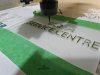
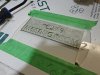
I have found that while you can really minimize it, it's a necessary 'feature' of the direct apply and route process. I've toyed with dialing it down to a perfect depth, but in reality after the first one cuts, the nose cone will ride on chip dust and potentially not cut through a spot or two. Not being cut through basically ruins the
sign unless you can rerun it deeper, and the shallower the pass, the more fuzzies you generate. Big chips are always better.
Also, like crash says, p95 is awesome for this. It's matte texture lets go of the adhesive fair easier, and it doesn't cloud up anything like normal rowmark material surfaces.
If I run them on our big router that doesn't have a nose cone, I just remove the film and don't add anything. Why do you apply the premask?
And here, we run about 120psi airline to a handle with a brass barbed fitting that narrows down to 1/16", it blasts the fuzzies off pretty easily, but it is not an osha approved tool and can really f*ck someone up if they were to jam it under their skin.
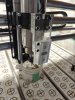
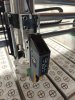
Reach out to Vision, they offer the quill as an attachment, so they should be able to help you with the tool offsets. While it can be done with plain none value differences, that leaves room for error. Setting up a tool offset is trivial and repeatable without any extra input from the operator/programmer.
What router are you running the quill on?
Otherwise, how is everyone like the quill? If I hadn't just invested in the pen that holds braille beads, I'd consider this, but my big router is usually tied up with metal work, and is in a very dusty room, so I didn't even consider the quill so much as I could imagine getting dust on the wet braille beads frequently.




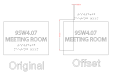
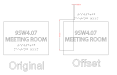


 , then add the extra Gcode