• I want to thank all the members that have upgraded your accounts. I truly appreciate your support of the site monetarily. Supporting the site keeps this site up and running as a lot of work daily goes on behind the scenes. Click to Support Signs101 ...

Registration marks not detecting

wallory designs

New Member
Hello everyone,
I have a cjv200
When ever i am putting registration mark on printed image its doenst wanna detect the marks always shows c36
Any recommendations for this problem ?
Please help
Thanks
 

dtfonestop

New Member
I don't remember exactly what C36 stands for on the CJV200, but when marks never read, it's almost always one of a handful of setup things rather than a broken sensor. Since you're running FineCut and RasterLink, I'd go through these:

- Make the marks with FineCut's own register mark tool, not drawn by hand in Corel, and keep the mark type and size the same as what's set on the machine. If FineCut makes 10 mm marks and the cutter expects a different size or shape, it won't find them.
- Leave some clear space between the marks and the artwork. If the image runs right up to the marks, the sensor can pick up the print instead.
- Before you start detection, move the head so the light pointer sits a little inside the first mark (on most setups that's the bottom-left one). If it starts too far away it gives up.
- Media matters a lot. Glossy or laminated vinyl reflects the sensor light and causes misses. Try it on plain white matte vinyl first, and let the print dry so the marks are solid black, not still wet.
- Check that the media is loaded straight and lying flat. A curled edge or a skewed roll can push the second and third marks out of range.

If it reads fine on plain white matte, you know it's the media or a setting. What vinyl are you printing on?

 
  • Agree
Reactions: 1 user

wallory designs

New Member
I don't remember exactly what C36 stands for on the CJV200, but when marks never read, it's almost always one of a handful of setup things rather than a broken sensor. Since you're running FineCut and RasterLink, I'd go through these:

- Make the marks with FineCut's own register mark tool, not drawn by hand in Corel, and keep the mark type and size the same as what's set on the machine. If FineCut makes 10 mm marks and the cutter expects a different size or shape, it won't find them.
- Leave some clear space between the marks and the artwork. If the image runs right up to the marks, the sensor can pick up the print instead.
- Before you start detection, move the head so the light pointer sits a little inside the first mark (on most setups that's the bottom-left one). If it starts too far away it gives up.
- Media matters a lot. Glossy or laminated vinyl reflects the sensor light and causes misses. Try it on plain white matte vinyl first, and let the print dry so the marks are solid black, not still wet.
- Check that the media is loaded straight and lying flat. A curled edge or a skewed roll can push the second and third marks out of range.

If it reads fine on plain white matte, you know it's the media or a setting. What vinyl are you printing on?
Maybe its gloss vinyl i will try on matt
 

Solventinkjet

DIY Printer Fixing Guide
C36 just means it tried to find a crop mark and didn't find one. dtf has some good ideas. If you're new to this system, make sure you go into cut mode and then hit the end key. A red dot should illuminate on the material under the cut head. Use the arrow keys to move it to the first crop mark; the bottom right one. Imagine the crop mark is a box. Just get the red dot within that box without touching the black lines and hit enter. It will read the mark and then set the origin automatically. Then send the job and it should find it.
 

WizardWorks

New Member
All of the above and my own experience:

my 200 will do that once in a while, too. it's annoying as hell, but I have found that if it cant see the marks on a particular job - even when it's the marks it generated in rasterstink, there's nothing you can do but start over with a fresh run of that job. the other thing I will do is set the line width size to whatever the maximum is in rasterstink.
if you have canned duster air or other compressed air source, giving the sensor aperture a quick blow out wont hurt, neither.
 

Ronny Axelsson

New Member
I have found that on some tricky materials, such as reflective or etch film, lights coming in from the side can make it more difficult to locate the registration marks.
To minimize this problem, I have taped a strip of black vinyl around the sensor housing, to reduce the gap between material and housing.
This has made a significant difference for me.
 
  • Agree
Reactions: 1 user

Think713

New Member
If there isnt anything wrong with the reg marks technically, then try reducing any reflective glare on the material...
 

WizardWorks

New Member
I have found that on some tricky materials, such as reflective or etch film, lights coming in from the side can make it more difficult to locate the registration marks.
To minimize this problem, I have taped a strip of black vinyl around the sensor housing, to reduce the gap between material and housing.
This has made a significant difference for me.

If you can, post a photo of your fix. Im interested in seeing how you did it.

-ww
 

Ronny Axelsson

New Member
If you can, post a photo of your fix. Im interested in seeing how you did it.

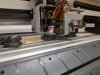
I have removed the plastic cover (this is a Mimaki CG-160 FXII) and the sheet cutter so you can see how I have put black vinyl (around 7 mm) around the housing to reduce the gap.
Since the vinyl is flexible, there's no risk of damaging the material or whatever may get in the way while the head is moving.

PXL_20261119_063614759.jpg
 

WizardWorks

New Member
I have removed the plastic cover (this is a Mimaki CG-160 FXII) and the sheet cutter so you can see how I have put black vinyl (around 7 mm) around the housing to reduce the gap.
Since the vinyl is flexible, there's no risk of damaging the material or whatever may get in the way while the head is moving.

Thanks for the visual. I already run my 200 with the sad plastic shroud off just because the tabs broke and I can't be bothered to mend it. Insert rant about all the seemingly random places mimaki cheaped out with these machines here.
I mainly run matte subs, so I wonder if it'll just be as simple as turning off the chassis lighting when I run into the random detect problem here? I'm sure I'll get an opportunity to experiment eventually.

thanks, Ronny.
 

WizardWorks

New Member
That could be part of the problem since you allow even more stray light to come into the sensor area.

it's only happened one time in the 6 months since the shroud has been off. many times before that with the shroud on, so that doesn't appear to be a strong contributing factor.
Generally when I reprint a trouble job with the same perimeters, it'll run fine the second go. Like most mimaki issues, it's totally inconsistent and frustrating to diagnose.

It'll be "interesting" to see what happens if I ever do have to run gloss for something.
 
Top