Myster Enigma
New Member
Hi everyone,
I'm hoping for some advice from people who have experience with the Roland BN-20 and ink-system issues.
I have a Roland BN-20 and I use refillable cartridges with eco-solvent ink. This is the first time I've ever made this particular mistake.
I accidentally filled my magenta refillable cartridge with Canon magenta pigment ink. I realised what I'd done fairly quickly and emptied the cartridge as thoroughly as I could. I then refilled the cartridge with the correct magenta eco-solvent ink.
Unfortunately, I don't have any spare/refillable cartridges available at the moment, so I can't simply swap in a known-good magenta cartridge to eliminate the cartridge as a possible cause.
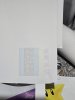
The current nozzle check is roughly:
Interestingly, after running a medium clean, some of the magenta nozzles did come back on the affected magenta pattern. So it isn't completely dead — there is still some ink firing from that section.
I also performed a manual clean earlier.
At the moment, I can get an acceptable print if I change the print settings to:
My normal settings were Draft 2 / Pre Press General.
I don't know whether the yellow dropout is related or whether that is a separate issue.
I'm also aware that repeatedly running powerful cleans probably isn't a good idea, especially if I'm not actually addressing the underlying contamination.
I currently don't have spare cartridges to test with, although I can obtain replacements if that is the best place to start.
Would you:
I don't want to make the situation worse by blindly running more powerful cleans or flushing something incorrectly.
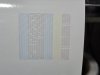
I've attached a photo of the current nozzle check for reference as well as a before photo. Strangely enough the 2nd photo shows that the magenta nozzle got better on it's own without me running a head clean. The nozzles are still missing a full magenta and full yellow
.
I'd really appreciate advice on where you would start diagnosing this, particularly from anyone who has dealt with accidental incompatible ink contamination on a BN-20 before.
Thanks!
I'm hoping for some advice from people who have experience with the Roland BN-20 and ink-system issues.
I have a Roland BN-20 and I use refillable cartridges with eco-solvent ink. This is the first time I've ever made this particular mistake.
I accidentally filled my magenta refillable cartridge with Canon magenta pigment ink. I realised what I'd done fairly quickly and emptied the cartridge as thoroughly as I could. I then refilled the cartridge with the correct magenta eco-solvent ink.
Unfortunately, I don't have any spare/refillable cartridges available at the moment, so I can't simply swap in a known-good magenta cartridge to eliminate the cartridge as a possible cause.
What happened afterwards
Initially, the printer seemed okay, but the nozzle check subsequently developed significant dropout.The current nozzle check is roughly:
- Cyan: all nozzles appear good.
- Yellow: one of the two yellow nozzle patterns is completely missing.
- Magenta: one of the two magenta patterns is completely missing.
- Magenta: the other pattern has a large number of missing lines, although some nozzles are still firing.
- Black: a few missing lines, but otherwise appears reasonably good.
Interestingly, after running a medium clean, some of the magenta nozzles did come back on the affected magenta pattern. So it isn't completely dead — there is still some ink firing from that section.
I also performed a manual clean earlier.
At the moment, I can get an acceptable print if I change the print settings to:
- Speed: Standard
- Preset: Max Impact
- Individual ink levels:
- Cyan: -5
- Black: -5
- Yellow: +5
- Magenta: +5
My normal settings were Draft 2 / Pre Press General.
My concern
I'm worried that there may now be some of the Canon pigment ink, or a mixture of pigment and eco-solvent ink, still somewhere in the magenta ink system — potentially the refillable cartridge, ink line, damper and/or printhead.I don't know whether the yellow dropout is related or whether that is a separate issue.
I'm also aware that repeatedly running powerful cleans probably isn't a good idea, especially if I'm not actually addressing the underlying contamination.
I currently don't have spare cartridges to test with, although I can obtain replacements if that is the best place to start.
Where should I start?
Given the above, what would you experienced BN-20 users recommend?Would you:
- Replace the magenta refillable cartridge with a completely new one first?
- Try to purge/flush the magenta ink line?
- Replace/check the damper?
- Perform a more thorough manual cleaning of the cap/wiper/head area?
- Use cleaning/flush solution through the ink system?
- Investigate the yellow channel separately?
- Or take a completely different approach?
I don't want to make the situation worse by blindly running more powerful cleans or flushing something incorrectly.
I've attached a photo of the current nozzle check for reference as well as a before photo. Strangely enough the 2nd photo shows that the magenta nozzle got better on it's own without me running a head clean. The nozzles are still missing a full magenta and full yellow
.
I'd really appreciate advice on where you would start diagnosing this, particularly from anyone who has dealt with accidental incompatible ink contamination on a BN-20 before.
Thanks!