• I want to thank all the members that have upgraded your accounts. I truly appreciate your support of the site monetarily. Supporting the site keeps this site up and running as a lot of work daily goes on behind the scenes. Click to Support Signs101 ...

ROLAND VERSACAM quits before it's finished printing

Chuck Taylor

New Member
Hello, we are trying to print a high res 300dpi file for a 33 x 77" roll up. The file is 84,802 KB in size.

It prints about 3/4 of the file beautifully and then it just suddenly quits - could this be a buffering issue or something else?

Thank you in advance for your suggestions. I realize we could get away with 100-150 dpi on this large format piece, but this client is super picky about the quality, so I hesitate to resample it as we already printed one (smaller file size) and it came out really nice, and of course we need to match the quality on both pieces.
 

Attachments

  • 1791416970124.png
    1791416970124.png
    848 bytes · Views: 28

Solventinkjet

DIY Printer Fixing Guide
Make sure your computer's power setting s aren't shitting down the computer or even just the hard drive or network after a certain amount of time. Pretty common for that to be the issue in these cases.
 
  • Agree
Reactions: 1 users

netsol

Premium Subscriber
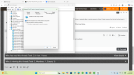
and go to device manageer and look at network device (ethernet or wireless, whichever is active)
open properties>power management. remove the check marks
1791487841530.png
 

MrDav3C

New Member
May also be worth checking the printers IP address is set to static (not dynamic) in your router settings
 

Chuck Taylor

New Member
The pictures is no good. What is the message you’re getting on the screen?
Does it just stay on now processing?
What model printer?
Sorry, I attached that image by mistake and couldn't get rid of it... It appears the problem was that this file was just too large. We have ran others since and have not encountered this issue again, so fingers crossed, we have it figured out. We sincerely appreciate your taking the time to review and answer our post :)
 

Chuck Taylor

New Member
May also be worth checking the printers IP address is set to static (not dynamic) in your router settings
Hello - It appears the problem was that this file was just too large. We have ran others since and have not encountered this issue again, so fingers crossed, we have it figured out. We sincerely appreciate your taking the time to review and answer our post :)
 

Chuck Taylor

New Member
Make sure your computer's power setting s aren't shitting down the computer or even just the hard drive or network after a certain amount of time. Pretty common for that to be the issue in these cases.
Hello - It appears the problem was that this file was just too large. We have ran others since and have not encountered this issue again, so fingers crossed, we have it figured out. We sincerely appreciate your taking the time to review and answer our post :)
 

Chuck Taylor

New Member
and go to device manageer and look at network device (ethernet or wireless, whichever is active)
open properties>power management. remove the check marks
View attachment 183715
Hello and thank you for sending over these detailed screen shots! It appears the problem was that this file was just too large. We have ran others since and have not encountered this issue again, so fingers crossed, we have it figured out. We sincerely appreciate your taking the time to review and answer our post :)
 
Top