Hi all,
I have two SP-540i machines and have been doing a board swap from one to the other, this is the situation:
- Printer 1: Mechanically perfect, but had bad main + servo boards
- Printer 2: Boards working fine, but linear guide blocks failed
- I swapped the working boards from Printer 2 into Printer 1
- Replaced battery on main board
- Verified all DIP switches OFF (correct for SP-540i)
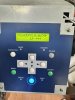
Everything seems to be correct but I'm stuck between the Service Calls 0101 and 0107.
This is what I've done so far and the state I'm at right now:
- System Parameter Initialize via key combo
- Service Mode v2.80 fully accessible
- Set the Serial Number in Sub Menu
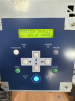
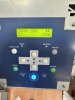
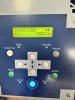
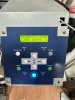
- Sensor Check shows Limit Sensor (O) toggling correctly when carriage moves - sensor is fine
- Servo Lock works and shows encoder values changing (S: -3 to other values in plus when I move the carriage) - encoder reading works
- All other sensors appear OK in Sensor Check
Since hardware is proven working (Servo Lock confirms motor + encoder feedback works perfectly, Limit Sensor toggles correctly), I think this might be a parameter issue from the System Parameter Initialize wiping the Linear Encoder calibration value.
I did find the Peck tool in this forum, but I don't have a parameter export from another machine.
Is there anyone with a working SP-540i v2.80 willing to do a parameter export that I can use as baseline? Or are there anything else I can do to get the machine up and running again?
Edit: I'm able to get the report via the Peck tool (see attachment), but the Peck tool won't get the parameters, it says Communicationg... but the progressbar isn't moving.
I have two SP-540i machines and have been doing a board swap from one to the other, this is the situation:
- Printer 1: Mechanically perfect, but had bad main + servo boards
- Printer 2: Boards working fine, but linear guide blocks failed
- I swapped the working boards from Printer 2 into Printer 1
- Replaced battery on main board
- Verified all DIP switches OFF (correct for SP-540i)
Everything seems to be correct but I'm stuck between the Service Calls 0101 and 0107.
This is what I've done so far and the state I'm at right now:
- System Parameter Initialize via key combo
- Service Mode v2.80 fully accessible
- Set the Serial Number in Sub Menu
- Sensor Check shows Limit Sensor (O) toggling correctly when carriage moves - sensor is fine
- Servo Lock works and shows encoder values changing (S: -3 to other values in plus when I move the carriage) - encoder reading works
- All other sensors appear OK in Sensor Check
Since hardware is proven working (Servo Lock confirms motor + encoder feedback works perfectly, Limit Sensor toggles correctly), I think this might be a parameter issue from the System Parameter Initialize wiping the Linear Encoder calibration value.
I did find the Peck tool in this forum, but I don't have a parameter export from another machine.
Is there anyone with a working SP-540i v2.80 willing to do a parameter export that I can use as baseline? Or are there anything else I can do to get the machine up and running again?
Edit: I'm able to get the report via the Peck tool (see attachment), but the Peck tool won't get the parameters, it says Communicationg... but the progressbar isn't moving.
Attachments
Last edited: