Goooost
New Member
I've been using the Graphtec FC9000 for a couple of months without issue until yesterday, when it started having a problem.
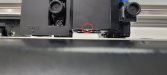
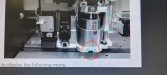
When performing a crosscut, most of the operation works fine- it cuts the paper, but then it performs some calibration it seems, and the carriage intersects with a pin on the side. It succeeds the first two times, but the third contact with the pin at the end trips something and errors out. On screen the code E01019 appears. But the manual doesn't suggest a permanent fix for this. This has been happening about 80% of the time since yesterday.
Here is a link to a video of the crosscut operation and the error: https://drive.google.com/file/d/16kqo7rtjutSsJqn79SGmfDwsCSLy-QGl/view?pli=1
The machine is otherwise still usable for now.
I havent yet taken any action in terms of looking under the carriage cover. I have taken out the crosscut blade and reinserted it. Nothing seemed amiss.
Thank you for your assistance and advice.
When performing a crosscut, most of the operation works fine- it cuts the paper, but then it performs some calibration it seems, and the carriage intersects with a pin on the side. It succeeds the first two times, but the third contact with the pin at the end trips something and errors out. On screen the code E01019 appears. But the manual doesn't suggest a permanent fix for this. This has been happening about 80% of the time since yesterday.
Here is a link to a video of the crosscut operation and the error: https://drive.google.com/file/d/16kqo7rtjutSsJqn79SGmfDwsCSLy-QGl/view?pli=1
The machine is otherwise still usable for now.
I havent yet taken any action in terms of looking under the carriage cover. I have taken out the crosscut blade and reinserted it. Nothing seemed amiss.
Thank you for your assistance and advice.