• I want to thank all the members that have upgraded your accounts. I truly appreciate your support of the site monetarily. Supporting the site keeps this site up and running as a lot of work daily goes on behind the scenes. Click to Support Signs101 ...

Help! Greys look green!

BrentNaquin

New Member
Side note: I am colorblind.

Thank you all for your advice. I have gotten a lesser greenish grey by adjusting PF before print. Still a little green. Next I will try creating my own swatches and I believe I will also start designing in CMYK to help the rip process work less and be more accurate.

At this point I just tell customers grey looks green and try to prepare them. I don’t have the patience more the free time to block off my work flow to try and fix all of this companies problems. I have suggested hiring professionals, people who know what they are doing and they don’t want to pay. So their problem isn’t my problem until I have no other option. Right now, I just do what I can.
 

netsol

Premium Subscriber
"due to fellers support telling me that’s fine because these printers (mutoh Xpertjet) are just big desktop printers now."

in much the same way that elon musk's latest design is just like the bottle rocket i lit when i was 4 years old

fellers may give you a good deal from time to time, but, they should not be your source for technical support & engineering
 
  • Agree
Reactions: 1 users

unmateria

New Member
I have an xpertjet too, and believe me, u are loosing a lot of that machine without an x1. The built in profiles are too much ink conservative and u loosing loooot of gamut. If u like the black or red using that profiles on RGB ur mind will blow with an xrite. Dont loose time trying to save some dollars. An sprectro is a must have in any print shop.
 

netsol

Premium Subscriber
Yes! anyone who isn't building their own profiles is making excuses for a sickly RUST COLOR that should be a fire engine red

canned profiles can compensate for the range of variation in inks, substrates, etc, but couldn't POSSIBLY compensate for the condition of the printheads (and too many other variables to count) in YOUR PARTICULAR MACHINE
 
  • Agree
Reactions: 1 users

Jharris81

New Member
So we bought a used printer that was very well taken care of and I had the same issue from the moment we bought it. Granted I basically knew nothing about large formate printing and all that goes along with it. I delt with it for years, hoping I wouldn’t get something that needed to be printed with a grey in it. This is what I did that eventually got me very close to repeatable grey with anything that I printed. I haven’t got a color correction profile done but eventually I will. Making sure all your heads are firing how they should I obviously essential. I’m not sure what printer you have but down to the resolution. I went into versaworks and adjusted the color curve to compensate for the green. Lots of videos on color curve on you tube, took me a little bit to get the hang of it but it fixed my issue. I went through every suggestion and information that I could find and this is what fixed my issue. Not sure if it’s a bandaid or it’s the actual fix but haven’t had issues since.
 

milchad

"It's always something"
I use Caldera and remapped every gray in the Pantone book so that they all matched within a delta when measured with my X-Rite. It took some time but was worth it.
 
  • OMG / WOW
Reactions: 1 user

Racer121

New Member
This has always been the case since I started with this company. I have only been printing for 1.5 years
I have had this problem with grays but also others are wrong.. It happened after software "expert" reset some of my settings. I fixed by changing to different ICC profile , and changing my color setting about input and rendering. I use Flexi 19. I have good reds and grays..
 
Last edited:
  • Informative
Reactions: 1 users

timvinylwraps

New Member
I’m running into an issue with my printer where every gray I try to print comes out with a greenish tint. I’ve already done a paper feed adjustment, tried different printer profiles, and even manually adjusted the colors in my files. No matter what changes I make, the grays refuse to print as true neutral grays — they always have a green cast.


Has anyone else run into this problem, and if so, what solutions worked for you? I’m trying to get consistent, accurate gray output without the unwanted color shift.
Which printer are you using. Last time this happened with my HP Latex 365 I called HP Tech Support, they walked me through a report that is run on the printer and sent to them. They then tweak the printer values and gray then prints correctly.
 
  • Informative
Reactions: 1 users

MikePro

Active Member
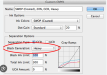
just convert to CMYK profile in photoshop, and export your photoshop.eps production file with a Custom CMYK profile with Heavy Black generation
*i'm sure there's similar options for other design platforms, but this is what I've always done for artwork that includes greyscale images that would always come out with a hint of magenta or cyan.
this will fill in more of the greyscale with K, rather than piling on additional CMY for "rich blacks"

1767717911564.png
 
  • Agree
Reactions: 1 user

coastguy111

New Member
Side note: I am colorblind.

Thank you all for your advice. I have gotten a lesser greenish grey by adjusting PF before print. Still a little green. Next I will try creating my own swatches and I believe I will also start designing in CMYK to help the rip process work less and be more accurate.

At this point I just tell customers grey looks green and try to prepare them. I don’t have the patience more the free time to block off my work flow to try and fix all of this companies problems. I have suggested hiring professionals, people who know what they are doing and they don’t want to pay. So their problem isn’t my problem until I have no other option. Right now, I just do what I can.
Just a potential heads up in the future... you can print a grey color and if using a sheen laminate specifically can cause those greens to look grey outside.
 

netsol

Premium Subscriber
and you still don't think calibrating the machine with a xrite I1 and being done with it would be a better idea?
 
Top