• I want to thank all the members that have upgraded your accounts. I truly appreciate your support of the site monetarily. Supporting the site keeps this site up and running as a lot of work daily goes on behind the scenes. Click to Support Signs101 ...

Need advice Vehicle Reflective Opaque Printing to Black

timvinylwraps

New Member
Hi y'all,
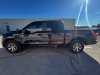
See pics. Note: I am unable to print white (HP 365 Latex) Using 3M680 Reflective. So I had a client come to me asking about an opaque reflective print of the flag and lettering. I am guessing this was printed with a printer that prints white otherwise the reflective vinyl would show through and ruin the effect.
Any Advice?
Thanks,
Tim image000001.jpg

 

Attachments

  • image000003.jpg
    image000003.jpg
    350.3 KB · Views: 108

White Haus

Not a Newbie
Don't think you need to worry about white ink on that one.

Couldn't you just apply a 80% black mask over the design in the file? Something to that effect should work. Print some small swatches until you find the sweet spot.
 
  • Agree
Reactions: 4 users

JBurton

Signtologist
Is that not just printed on black reflective? The outlines on the word police look like the only black ink, and everything is basically imperceptible unless its reflecting light.
 

Boudica

I'm here for Educational Purposes
Black reflective? To me it looks like it's printed on regular white (gray) reflective, no white ink, with a black mask applied to the artwork like White Haus suggested. Hard to say without seeing it in person though.
 
  • Agree
Reactions: 3 users

Gino

Premium Subscriber
What whitie said. I just don't understand all the whitish lines going through at certain spots ??
 

1upgraphics55

New Member
This is full color printed, white reflective inkjet vinyl. Make sure you use 3M IJ680-CR which is an inkjet (hence 'IJ' in the product number) and the 'CR' is 'Comply Removable' slidable pressure-activated, comply adhesive, which provides fast and easy, bubble-free installation with its air release channels and conformability to vehicle surfaces.... otherwise installation will be a NIGHTMARE and HORRIFIC removal process.

The graphics achieve the 'ghosted' black-on-black effect by utilizing dark colors in the text and transparency/lens on the flag. The passenger side picture appears to have white, however that is just the direct light reflection on the vinyl; so both sides are printed as it appears on the driver side picture and the 'reflective' properties of the vinyl are highlighted by direct lighting in the passenger side pic.

Feel free to message me if you'd like assistance in quoting and setting up the graphics for the project.

Best of luck! :)
 

JBurton

Signtologist
I'm still leaning to printed over black, I don't print a lot of reflective, but I find it hard to imagine that you can print what appears to be black without reflection, that will be such a pure white in the reflection, while other areas get a higher ink density that appears truly black when reflecting.
 

1upgraphics55

New Member
Yeah, black reflective, green, red, orange, yellow all reflect white. The reflective glass ist he same color in all vinyls: it’s just clear glass. It’s not colored glass, hope that makes sense.

If white ink was white printed on the black vinyl, the flag on the driver side would not look ghosted like that at all. I don’t think they have two different flags on either side of the vehicle. If it was printed with white ink, the driver side would look just like the passenger side, and the white ink would block the reflection.

Anywhere where white ink was printed it’s opaque which would block the reflective so that part of the vinyl would not reflect the light and just look like regular, non reflective vinyl.

Check out the attached screenshot that explains how black reflective vinyl reflects white light
 

Attachments

  • IMG_3752.png
    IMG_3752.png
    1.4 MB · Views: 54
  • Agree
Reactions: 1 user

JBurton

Signtologist
How about this. It's obviously printed. Add some blue ink for the background behind the stars, get blue reflection. Add red ink to the stripes, white reflection. Do they then print 50% black for the text and 100% for the outline of the text? In that case, how do they get the 50% black to blend at the back of the bed so well without also blacking out the reflection?
 

jfiscus

Rap Master
White ink will knock out all reflectivity in the vinyl, as it is more of an opaque ink versus the CMYK inks which are translucent. (just think about how the inks look when you print to a clear vinyl)
You just have to think about the file setup a little differently than usual.
We have one customer that we just print white onto white reflective vinyl for a "ghosted" reflective pattern effect.
 
  • Informative
  • Agree
Reactions: 1 users

The Sign Goddess

Vinyl Slayer by trade
This is Eco-Solvent on white Orajet 5650ra, no white ink. Design didn't have color, but if it had, it would look like your images.
 

Attachments

  • 20200226_143100.jpg
    20200226_143100.jpg
    2.3 MB · Views: 26
  • 20200226_143755.jpg
    20200226_143755.jpg
    2.7 MB · Views: 29
  • Agree
  • OMG / WOW
Reactions: 2 users

MikePro

Active Member
we use white reflective as the base to print onto all the time. just make sure your black channel is max'd out for the profile/spotcolor so that it is not relying heavily on CMY for black color, as it could reflect with a brown/green hue.
 
  • Agree
Reactions: 1 user

Stacey K

I like making signs
I think it's white reflective vinyl. I don't do much of it either but the few things I have done turned out good, after I printed a sample first. I do like printing on reflective, it's neat to see the outcome.
 
  • Agree
Reactions: 1 user
Top