• I want to thank all the members that have upgraded your accounts. I truly appreciate your support of the site monetarily. Supporting the site keeps this site up and running as a lot of work daily goes on behind the scenes. Click to Support Signs101 ...

On Mimaki UJV100-160 how can I tell how far it got before it jammed?

Goooost

New Member
I use the Mimaki UJV100-160 with rasterlink to print ungodly amounts of banners. So I'll let it go and start winding up a roll of prints while I do other things. But when it crashes, I come back and flat out can't see how far along it got. I dont know if I have 10 more banners to print or 30 or what- not without unrolling the banners and counting them that is.
I'm new to this kind of large format printing; my previous print shop focused on narrow format copiers and we could always tell exactly where they left off. I could tell from the printer itself or the PC software without hassle.
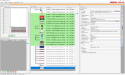
In rasterlink I see that the job color-coded to magenta, and in the log down below it shows that there was an error in red. That's it. No useful information for me whatsoever. No option to resume either. When it's actively printing a job it still doesn't tell me how many pages it's done, but it does at least show me a percentage I can extrapolate from. But once it jams that is all cleared out. What am I missing?

Thanks for your help.
 

crashaffinity

New Member
I use the Mimaki UJV100-160 with rasterlink to print ungodly amounts of banners. So I'll let it go and start winding up a roll of prints while I do other things. But when it crashes, I come back and flat out can't see how far along it got. I dont know if I have 10 more banners to print or 30 or what- not without unrolling the banners and counting them that is.
I'm new to this kind of large format printing; my previous print shop focused on narrow format copiers and we could always tell exactly where they left off. I could tell from the printer itself or the PC software without hassle.
In rasterlink I see that the job color-coded to magenta, and in the log down below it shows that there was an error in red. That's it. No useful information for me whatsoever. No option to resume either. When it's actively printing a job it still doesn't tell me how many pages it's done, but it does at least show me a percentage I can extrapolate from. But once it jams that is all cleared out. What am I missing?

Thanks for your help.
when you do copies, submit each copy as an individual job in the queue (duplicate them), and when it fails the unsuccessful ones will be magenta, and there is your count
 
  • Agree
Reactions: 2 users

Goooost

New Member
when you do copies, submit each copy as an individual job in the queue (duplicate them), and when it fails the unsuccessful ones will be magenta, and there is your count
uhg you've gotta be kidding, is there no real way? The problem with this is that I dont want 100 copies of the job in the queue, and I like to butt the banners together to separate them with less cutting, and submitting them separately also separates the banners. I think I need to just mount a camera on the printer so I can playback the video at like 50x speed so I can just count that way.
 

netsol

Premium Subscriber
you would think the question would be, how can i stop it from crashing?
not how can we make the inevitable crash a more efficient, manageable process
 
  • Agree
Reactions: 1 user

crashaffinity

New Member
uhg you've gotta be kidding, is there no real way? The problem with this is that I dont want 100 copies of the job in the queue, and I like to butt the banners together to separate them with less cutting, and submitting them separately also separates the banners. I think I need to just mount a camera on the printer so I can playback the video at like 50x speed so I can just count that way.

camera is great idea though point one (i have about 10 cheap tapo cameras pointed at all the machines) on the printer's screen, and just have it recording the run and fast forward until you see where the length counter stops. i know the UCJV300 shows the running length count on the screen not sure about the UJV100.

another way i try and track long runs sometimes (if i have room on the edge of the design) i put little numbers going down the entire length to give me indications of how far i am on the run.

a third method, and i usually use this method to figure out how much material is left on a roll, not how much it printed, but it also applies, is I weigh full rolls of material when i unpackage them, weigh one of the cores after use, and have a net weight of usable material. divide that by the length and you now have a weight per running foot. Take any roll now, weigh it, subtract the weight of the core, and you can quickly get an accurate length on what you're holding. The load of the ink itself will not greatly vary the weight so i don't factor it in. This is also a great method of figuring out if you have enough laminate left on a roll to do a longer lamination.
 
Last edited:
  • Agree
Reactions: 1 user

Goooost

New Member
another way i try and track long runs sometimes (if i have room on the edge of the design) i put little numbers going down the entire length to give me indications of how far i am on the run.
Oh this may be brilliant. I could create a file with an artboard just big enough to stack alongside my print jobs, and each page has a sequential number. That might even help the guys in back who finish them. I will have to see if the arrange feature in rasterlink cooperates well with this idea.

Usually 100 is the most I do of one run. So I'll make the file to that amount, and then on a job-by job basis I can just go in, adjust the artboard size as a group, disable the unused ones, and drop it in to rasterlink. I feel like it will work great and not sacrifice a bunch of extra time either.
 
Last edited:

Goooost

New Member
you would think the question would be, how can i stop it from crashing?
not how can we make the inevitable crash a more efficient, manageable process
right? usually it isn't a head strike, it's something stupid like I accidentally hung up my PC by opening up a huge file, or I accidentally told it to sleep. Some on-board problems with the mimaki are recoverable, like ink replacements. But sometimes it will be something you'd think it can recover from, like a random "ink temp control" but it doesn't until you clear the remaining data and then 'lo and behold the "ink temp" is fine again.
 

crashaffinity

New Member
right? usually it isn't a head strike, it's something stupid like I accidentally hung up my PC by opening up a huge file, or I accidentally told it to sleep. Some on-board problems with the mimaki are recoverable, like ink replacements. But sometimes it will be something you'd think it can recover from, like a random "ink temp control" but it doesn't until you clear the remaining data and then 'lo and behold the "ink temp" is fine again.

i always have the printer controlled by it's own dedicated computer for this reason. i usually find some cheap refurbished pc for about $200 and it'll still rip at a decent speed and there is never a load on it. I just remote into that station anytime i'm opening / ripping files.
 
Top