Thank you so much for this, I really a appreciate it. I will try and send you another email once I've done this to show you. I'll send it from my laptop this time as I was on my phone abroad and was having problems with sending things. Thanks again.

-
I want to thank all the members that have upgraded your accounts. I truly appreciate your support of the site monetarily. Supporting the site keeps this site up and running as a lot of work daily goes on behind the scenes. Click to Support Signs101 ...
You are using an out of date browser. It may not display this or other websites correctly.
You should upgrade or use an alternative browser.
You should upgrade or use an alternative browser.
Printing Engine Turn
- Thread starter kalvix
- Start date
Hi Accent Signs(sorry I don't know your name)
I'd just like to say thank you for posting the help instructions.
I managed to make a half decent attempt at engine turning.
I'm getting some water slide decals printed for a 1/32 scale slot car I'm building of a real drag car I hand painted some logos on with 23k gold leaf.
I think it should look pretty passable at that scale.
Thanks again, I really appreciate your help.
Cheers
Tony
I'd just like to say thank you for posting the help instructions.
I managed to make a half decent attempt at engine turning.
I'm getting some water slide decals printed for a 1/32 scale slot car I'm building of a real drag car I hand painted some logos on with 23k gold leaf.
I think it should look pretty passable at that scale.
Thanks again, I really appreciate your help.
Cheers
Tony
Attachments

Any updates today on the best method to actually PRINT gold engine turn on an air release vinyl?
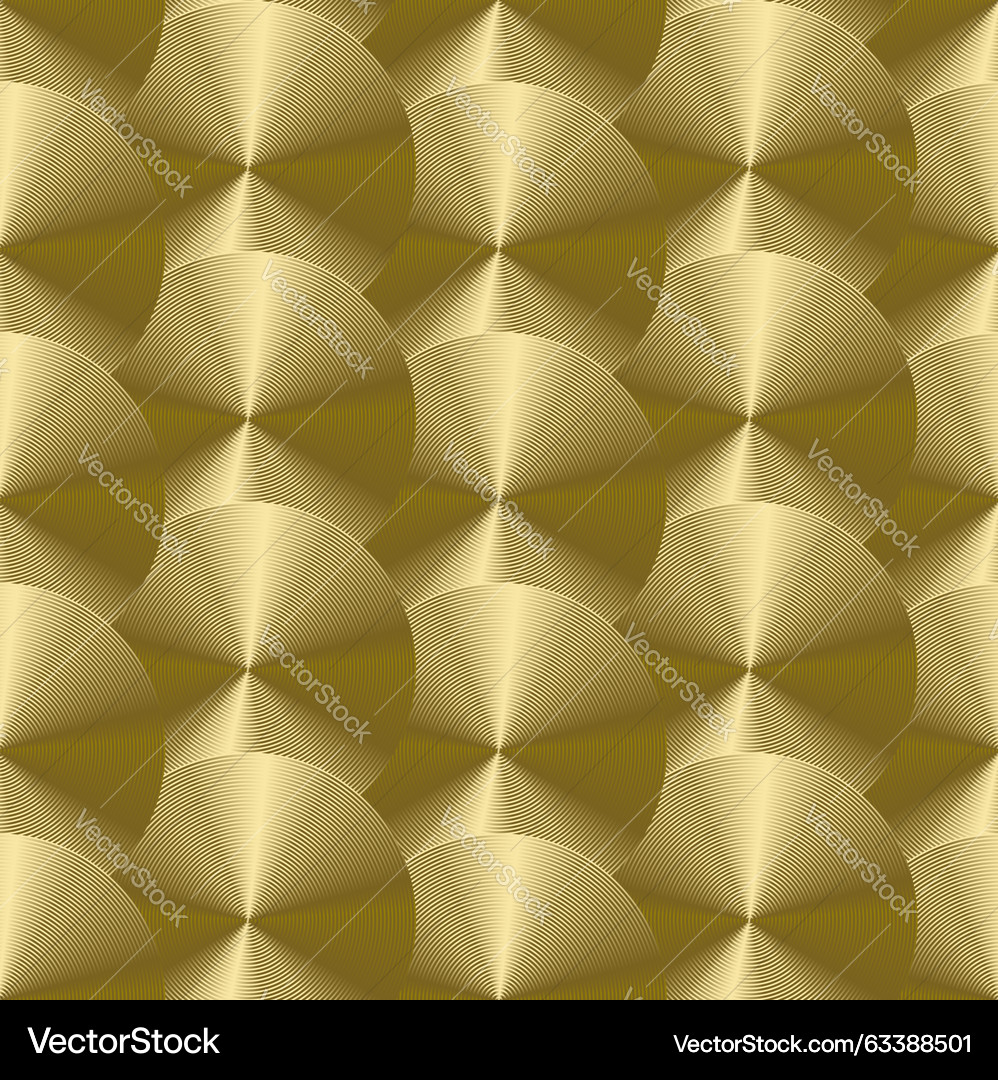
Gold Engine Turned Texture – Royalty-Free Vector | VectorStock
Intricate gold texture featuring overlapping circles and swirling lines, reminiscent of guilloche engraving and ornate metalwork. Seamless pattern with a classic, deco aesthetic. Download in AI, EPS, PDF, JPG, or PNG formats — includes free preview and pro license options.
 www.vectorstock.com
Hi, I’m looking to do this in Corel.
Are you able to explain how you generate one of the circles in Corel please?
Kind regards
Tony
Gold Engine Turned Texture – Royalty-Free Vector | VectorStock
Intricate gold texture featuring overlapping circles and swirling lines, reminiscent of guilloche engraving and ornate metalwork. Seamless pattern with a classic, deco aesthetic. Download in AI, EPS, PDF, JPG, or PNG formats — includes free preview and pro license options.
www.vectorstock.com

So I decided to see what I could do with a lot of these ideas. I used Illustrator and the gradient as stroke trick to get a conical gradient. I did it in silver just because I thought it would be easier to adjust later. I turned each circle 5 degrees and repeated the row into the pattern. It gives just enough variety and emulates how the shine is slightly different on each circle. I created a script to do this. While there are many versions of engine turn, this was based on Real Gold machine turned. I am planning on trying this as a fill for the Gerbers and printing the black circles on top as vector, or creating a good gold fill to use on our roll to roll. The text is where I tried adjusting the pattern in photoshop to use as a bitmap and blended it to hide some edges, you can see it reads very well.
Attachments



myront
Dammit, make it faster!!
I did the same in CorelDRAW, both silver and gold. Saved it as a fill pattern. Can fill any shape instantly and allows you to adjust the size of the circles.So I decided to see what I could do with a lot of these ideas. I used Illustrator and the gradient as stroke trick to get a conical gradient. I did it in silver just because I thought it would be easier to adjust later. I turned each circle 5 degrees and repeated the row into the pattern. It gives just enough variety and emulates how the shine is slightly different on each circle. I created a script to do this. While there are many versions of engine turn, this was based on Real Gold machine turned. I am planning on trying this as a fill for the Gerbers and printing the black circles on top as vector, or creating a good gold fill to use on our roll to roll. The text is where I tried adjusting the pattern in photoshop to use as a bitmap and blended it to hide some edges, you can see it reads very well.