• I want to thank all the members that have upgraded your accounts. I truly appreciate your support of the site monetarily. Supporting the site keeps this site up and running as a lot of work daily goes on behind the scenes. Click to Support Signs101 ...

Roland XC-540 – Cyan Overfire → Multiple Board/Head Issues – Need Help Isolating Before Installing Another DX4

Coreyt

New Member
I’m trying to figure out what’s actually failing here before I put another printhead in and risk damaging it again.

Machine: Roland XC-540 (DX4)


What originally happened:

  • Cyan channel went into runaway firing (constant overfire)
  • That event blew:
    • a transistor on the carriage board (cyan channel)
    • and some smaller components on that same board

What I’ve done since:

  • Got a used carriage board
    • it had blown fuses + one bad transistor
    • I replaced the fuses and transistor
  • Installed a replacement printhead
  • First test print:
    • cyan started acting wrong again
    • now one cyan channel appears dead
    • black also came out weak
  • That board did NOT blow fuses or transistors again

More troubleshooting:

  • I had another spare carriage board → installed it
    • same result (weak black, cyan missing channel)
  • Swapped ribbon cables (cyan ↔ magenta) to isolate
    • issue did NOT clearly move

Where I’m at now:

  • I’ve likely damaged two heads after the original runaway event
  • Current boards are not blowing components anymore
  • No more runaway firing
  • Now dealing with:
    • missing cyan channel
    • weak black channel
(I’ll attach current nozzle check)


What I’m trying to figure out:

I don’t want to install another head until I understand what actually caused this.

I’m not sure if:

  • the original carriage board failure damaged the heads
  • a partially repaired carriage board is still underdriving channels
  • the head itself caused the board failure originally
  • or if something upstream is still wrong

Questions:

  1. Has anyone seen a scenario where a carriage board appears “stable” (no blown fuses/transistors) but still damages or underdrives a channel?
  2. Could the original runaway cyan event realistically damage multiple heads after the fact?
  3. What is the safest way to electrically test a DX4 before I purchase another one? This is getting expesive!
    • I’ve seen advice about checking resistance across ribbon pins, but no clear guidance on what readings indicate a short vs normal
  4. At this point, how would you isolate:
    • carriage board vs main board vs printhead
      without risking another head?

Additional info:
I’m located in South Dakota and don’t have access to a local tech, so I’m trying to troubleshoot this remotely and avoid burning another head.

Any help or step-by-step isolation advice would be appreciated.

 

Attachments

  • image.jpg
    image.jpg
    1.2 MB · Views: 42

damonCA21

Active Member
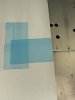
Yes, you can get boards where the fuses don't blow, but still have bad transistors or other components. The blue band you got across the whole test print is an indication of a board problem as the head is not getting the correct signals to turn on and off.
I would start with replacing the head cables, both the short ones to the head and the long ones to the mainboard. These often cause intermittent faults and shorts as they can break internally.
For checking the head there isn't much you can really do other than the resistance. You can take readings from one of your known good heads, then compare this to the other one. You need to make sure the head is unplugged from the cable to do this.
Replacing the transistors is ok if they have shorted, but there is more to the head control part of the circuit than just the transistor, so that needs to be properly tested as well to make sure there are no problems.
 
  • Agree
Reactions: 1 user

Jim Hancock

Old School Technician
As a point of clarification, when you say carriage board, I believe you are talking about the head board, correct? The carriage board is the one on top of the head carriage and does not have any fuses and all the print head signals pass straight through without going through any circuitry.
 
  • Agree
Reactions: 1 users

Coreyt

New Member
Thanks — that helps but before I go down that rabbit hole a few questions:

1. Testing DX4 head. Is there any documentation or reference showing which pins on the DX4 head should be tested and what the expected readings are?
I understand comparing against a known good head is the approach, but I’m not clear on:
  • which pin pairs to check?
  • what range is considered normal vs. shorten?
2. Black channel issue (replacement board)
With the replacement carriage board installed, I’m now getting faint output on one side of the black channel.
  • Resistance across components appears similar to others
  • No blown fuses or obvious shorts
Could this still indicate:
  • a weak or partially failing transistor?
  • or another component in the firing circuit not fully switching?
I want to confirm the signal path is stable before installing another head. Thanks!
As a point of clarification, when you say carriage board, I believe you are talking about the head board, correct? The carriage board is the one on top of the head carriage and does not have any fuses and all the print head signals pass straight through without going through any circuitry.

As a point of clarification, when you say carriage board, I believe you are talking about the head board, correct? The carriage board is the one on top of the head carriage and does not have any fuses and all the print head signals pass straight through without going through any circuitry
To clarify the full sequence, including which components were replaced:

Original issue: the cyan printhead was overfiring continuously and would not shut off.That event resulted in:
  • a failed C-bank driver transistor (C4672) on the original head board
  • a blown fuse
  • damage to the surrounding driver circuitry (A1930 / C4672 section)
  • after this, that channel stopped printing
At this point:
  • I removed the original head board (did not repair it)
  • installed a replacement head board
  • installed a brand new printhead
After installing the replacement head board and new printhead:
  • the cyan printhead overfired again on the first print
  • immediately after, the head became partially functioning (this is shown in the original photo attached)
Difference this time:
  • no blown fuses on the replacement head board
  • no resistance issues to transistors (A1930 / C4672)
Troubleshooting performed after that:
  • swapped both ribbon cable pairs between cyan and magenta
    → issue did not follow to magenta
  • Swapped the print carriage board (6701409010)
    → re-tested and same result (cyan still only printing partially)
Current condition:
  • cyan is still not printing correctly
  • no blown fuses or resistance issues (failed transistors) on the current head board
At this point I’m trying to determine the root cause before continuing as I may have two defective printheads damaged from overfire event (would like to know how to check them as the repair costs are adding up).
  • carriage board (possible original cause?)
  • long data cables
  • or another issue in the firing circuit
Separate issue (likely due to a defective replacement head board):
  • black is now faint on one side

As a point of clarification, when you say carriage board, I believe you are talking about the head board, correct? The carriage board is the one on top of the head carriage and does not have any fuses and all the print head signals pass straight through without going through any circuitry.
To clarify the full sequence, including which components were replaced:

Original issue: the cyan printhead was overfiring continuously and would not shut off.That event resulted in:
  • a failed C-bank driver transistor (C4672) on the original head board
  • a blown fuse
  • damage to the surrounding driver circuitry (A1930 / C4672 section)
  • after this, that channel stopped printing
At this point:
  • I removed the original head board (did not repair it)
  • installed a replacement head board
  • installed a brand new printhead
After installing the replacement head board and new printhead:
  • the cyan printhead overfired again on the first print
  • immediately after, the head became partially functioning (this is shown in the original photo attached)
Difference this time:
  • no blown fuses on the replacement head board
  • no resistance issues to transistors (A1930 / C4672)
Troubleshooting performed after that:
  • swapped both ribbon cable pairs between cyan and magenta
    → issue did not follow to magenta
  • Swapped the print carriage board (6701409010)
    → re-tested and same result (cyan still only printing partially)
Current condition:
  • cyan is still not printing correctly
  • no blown fuses or resistance issues (failed transistors) on the current head board
At this point I’m trying to determine the root cause before continuing as I may have two defective printheads damaged from overfire event (would like to know how to check them as the repair costs are adding up).
  • carriage board (possible original cause?)
  • long data cables
  • or another issue in the firing circuit
Separate issue (likely due to a defective replacement head board):
  • black is now faint on one side
 

damonCA21

Active Member
No, there are no technical documents for the head. You would need to test the resistors to ground to look for shorts or any that seem out of spec.
 

Jim Hancock

Old School Technician
Please verify that you are troubleshooting an XC-540EX by attaching a pic of the model # - s/n label. The XC-540 uses C4131 and A1746 output transistors on the head board. In addition, this number 6701409010 is the part number for a DX7 printhead, not a carriage board. The XC-540 uses DX4 printheads. Accurate details are absolutely crucial if you wish us to be able to help you.
 

Coreyt

New Member
Thanks for the correction — appreciate it.

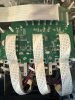
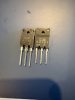
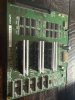
This is a SolJet Pro III XC-540 (not EX). I’ve attached photos of the machine and boards for reference.
 

Attachments

  • IMG_1829.jpeg
    IMG_1829.jpeg
    1.5 MB · Views: 24
  • IMG_1827.jpeg
    IMG_1827.jpeg
    932.9 KB · Views: 18
  • IMG_1828.jpeg
    3.9 MB · Views: 4
  • IMG_1826.jpeg
    4.9 MB · Views: 4

Jim Hancock

Old School Technician
Thanks for the pics to clarify. You're correct, not an EX, that was the Pro II (too many Roland models floating around in my head!). As Damon mentioned, it's incredibly difficult to electronically "troubleshoot" the head itself. Have you checked the ribbon cables from the heads to the carriage board? Your original light cyan free-firing issue is very often caused by a defective head ribbon cable or a bad head. As you replaced the light cyan head and the free-firing went away, that's one issue solved. As Damon suggested, I would start looking at the ribbon cables, especially from the carriage board to the heads. It would appear the original free-firing channel is now the missing light cyan channel. Look closely at the finger traces at both ends of the head cables. You might also examine the traces on both ends of the trailing cables (the 6 wide cables that go from the carriage board to the head board) and hope those are good as the are a major pain to replace and are very hard to find. I suggest replacing the head cables for both the light cyan and the black heads. You can get them here - https://www.solventinkjet.com/product-page/roland-dx4-printhead-cable-set-of-2 - for $27/pair. Get 2 pairs and replace both cables on the black and light cyan heads. You need the 15 1/8 inch cables. Once that is done, let's see what your test print looks like. Hopefully that also solves the weak black channel. After that, we can decide how to proceed. There are some things we can do to further isolate where the issues are, but let's eliminate the ribbons first.
 
  • Agree
Reactions: 1 user

netsol

Premium Subscriber
Jim. Is right.
troubleshooting the printhead electronically would require a curve tracer at minimum
actally a huntron tracker 2000 & a bit of experience with the variety of ways these heads go bad

when I started reading this post the other day it seemed to me purchasing another known bad board only muddied the waters.
I think I would have changed the 4 transistors driving that channel (2 symmetrical pairs fed by the same fuse.) as well as the ribbon cables. JIM is this one of the machines that has one cable with one less conductors than the others?
 

netsol

Premium Subscriber
in 2015 I bought a “can’t be fixed” SC545-ex and went through the same things you are going through now.
went through HELL getting it working but I am still printing with it today
be logical. Swap ribbons from head to head and see if the problem moves with the head or stays with the cable

a new set of cables is cheap compared to the head

FOR SURE be patient
power down and wait 15 minutes before you touch the ribbons.
don’t make another problem that you will not be able to fix
 
  • Agree
Reactions: 2 users

cornholio

New Member
Jim. Is right.
troubleshooting the printhead electronically would require a curve tracer at minimum
actally a huntron tracker 2000 & a bit of experience with the variety of ways these heads go bad

when I started reading this post the other day it seemed to me purchasing another known bad board only muddied the waters.
I think I would have changed the 4 transistors driving that channel (2 symmetrical pairs fed by the same fuse.) as well as the ribbon cables. JIM is this one of the machines that has one cable with one less conductors than the others?
No, that's the DX7.
 
  • Agree
Reactions: 1 user

damonCA21

Active Member
Agree with the others. Replacing parts with others that may also be bad doesn't really help. You need to start with known working parts and then work from there to try and trace the fault. Replace the cables then you know the signal path from the head board to the head is ok, then you can test the head board components. If they are ok then you know the fault is with the head itself
 
  • Agree
Reactions: 1 user

netsol

Premium Subscriber
No, that's the DX7.
my mistake, but, basically each channel is driven by the same kind of circuit50 years of troubleshooting transistor circuits, the driver for these is simply a symetrical push- pull circuit
i think only TWICE did i actually see the transistors that drive the power transistors need to be changed.
Agree with the others. Replacing parts with others that may also be bad doesn't really help. You need to start with known working parts and then work from there to try and trace the fault. Replace the cables then you know the signal path from the head board to the head is ok, then you can test the head board components. If they are ok then you know the fault is with the head itself
it’s not a terrible ide buying another board.
lots of times I wished I had one
like playing poker and asking for 3 cards. It could be better, it could be worse
 
  • Agree
Reactions: 2 users

AB Rolan

New Member
Main Board has fuses as well (they are probably ok if you have green lights at head). Might look at ribbon cables at main board as the foil/traces at end can get damaged.
 

Jim Hancock

Old School Technician
FYI - There are no fuses on the mainboard on the XC-540, only the head board and the main power supply fuses.
 
  • Agree
Reactions: 1 user

Coreyt

New Member
Replaced all ribbon cables (long + short), carriage board, head board (known good), and installed a brand new DX4 head.

Issue remains the same:
  • Light cyan channel is still overfiring on test print
  • This time it is not blowing fuses or transistors

Swapping cables does not move the issue — it stays on light cyan.

At this point:
  • Head, cables, carriage board, and head board have all been ruled out

Attached is current test print.

Looking for next direction — could this be main board signal issue or something upstream holding that channel on?
 

Attachments

  • IMG_2045.jpeg
    IMG_2045.jpeg
    1.1 MB · Views: 8

Jim Hancock

Old School Technician
Just to confirm, did you do the cable swap in pairs as shown in the attached diagram? Understanding in your case, it should be the light magenta and the light cyan, not the black and cyan as shown. Logic says if you moved the ribbon pairs correctly, than the problem staying on the light cyan head indicates a bad head. The problem moving to the light magenta head indicates an incoming electronic signal issue from upstream. If you swapped the cables on an individual head only, a big no-no, meaning swapped right and left cables on the same head, that almost always does damage to the head internal electronic circuitry. Please advise...
 

Attachments

  • 4 head ribbon data cable swap.pdf
    578.7 KB · Views: 1
Top