• I want to thank all the members that have upgraded your accounts. I truly appreciate your support of the site monetarily. Supporting the site keeps this site up and running as a lot of work daily goes on behind the scenes. Click to Support Signs101 ...

SP540i not turning back on after standby and now has froze after a print

Tizz

New Member
Hello All,
This has happened a week before Christmas! After the printer goes on standby it doesn't want to turn back on. I have to physically switch the main power at the back off, wait a few seconds, turn it back on, then press the front control panel on and it fires up. It prints, it cuts and all works fine. I don't turn it off and it just goes to sleep / standby as it always has. The following morning and afternoon is fine but by the evening it doesn't want to fire up. The ethernet lights on the back are still on. I'm thinking power board supply?
Today however, finished a print the whole thing froze. Lights, heater, vacuum were all on but could not turn it off at the front, lifted the material but nothing. Had to turn off the main power at the back again.
Has anyone experienced this? Could it also be the front panel as well as the power board? I have yet to inspect the power board.

Update: it has just frozen again mid print. Power is on, control panel is processing, lights, vacuum are on but nobody's home! Turned off at the main, left it for a few minutes and powered on control panel just displays Roland Corporation SP540i but nothing else happens.

Thanks in advance.
 
Last edited:

damonCA21

Active Member
The power supply is most probably fine. it provides the 5 volt supply to the various boards, including the mainboard, so if the lights and panel etc.. are coming on then it is getting power. If the supply failed it would normally be completely dead.
It could be a bad control panel with an intermittent fault. it could be the on button is sticking and giving an off signal even though you haven't pressed it. you can try replacing that, but if that doesn't fix it then it is mostly likely mainboard related.
I have tested used OEM control panels in stock if you need one
 

Tizz

New Member
Hi Damon, thanks for your reply. I'm hoping it's not mainboard related, but the signs seem to be pointing to it.
Powered up again this morning, control panel stays at the 'Sheet load' part.
Good to know you have a control panel, will may need to hit you up on this.
Planning to call our local service tech tomorrow.
 
  • Agree
Reactions: 1 user

Tizz

New Member
The power supply is most probably fine. it provides the 5 volt supply to the various boards, including the mainboard, so if the lights and panel etc.. are coming on then it is getting power. If the supply failed it would normally be completely dead.
It could be a bad control panel with an intermittent fault. it could be the on button is sticking and giving an off signal even though you haven't pressed it. you can try replacing that, but if that doesn't fix it then it is mostly likely mainboard related.
I have tested used OEM control panels in stock if you need one
Hi Damon, I've sent you a DM
 
  • Agree
Reactions: 1 user
I am dealing with that right now in a similar model. Customer had to turn off an on main power switch after sleep mode to get working. This was the case for about 6 weeks. Now have Ethernet lights and led on Main Board and and print carriage board but won’t turn on.
checked for the 5 and 41 vdc and no 41 vdc. Need power supply.
 

Tizz

New Member
I am dealing with that right now in a similar model. Customer had to turn off an on main power switch after sleep mode to get working. This was the case for about 6 weeks. Now have Ethernet lights and led on Main Board and and print carriage board but won’t turn on.
checked for the 5 and 41 vdc and no 41 vdc. Need power supply.
Thanks for your reply. I'll have this checked out.
 

netsol

Premium Subscriber
we never seem to be lucky enough for it to be as simple as changing the power supply
ALL THE MAJOR MANUFACTURERS have multilayer boards with PLATED FEED THROUGH CONNECTIONS from layer to layer
this is how most modern electronics reduce the size of the boards

during the normal work cycle, the board heats and flexes ONE WAY then cools and flexes BACK. CRACKING solder connections you CAN SEE & REPAIR and plated through holes you cannot see.

it is often possible to get the board re-flow soldered in a specially designed oven for this purpose
many of the refurbishers who process laptops and that sort of thing have one of these ovens in house
10 or so years ago, NVIDIA produced 100,000's of boards with this kind of defect. thiishis problem became so common it created an industry
in the laptop refurbishing business

we have had very good luck getting one of the refurbishers to re-flow the system boards and cured this sort of problem
you may or may not be able to find someone to give this a shot,

AS A WORK AROUND, be sure your cooling fans are good, and possibly run the machine without a back cover and potentially with a fan
blowing on the board to keep the temp stable.

you will see whether "working normally" occurs with covers off and external fan on high
we have had clients be able to run the machine for years this way. (also several signs101 members if you search through some of my threads
 
  • Agree
Reactions: 1 users

damonCA21

Active Member
I havent seen many SPi models that suffer with this. The VP was notorious for it but they seemed to sort out the board design better on the SPi. Diagnosing it can be a nightmare though as it is intermittent
 

Tizz

New Member
Taking the power board out tonight to get our elec engineer to take a look tomorrow. He mentioned any drop in voltage will cause irregular function.
Will keep this updated.
 

netsol

Premium Subscriber
I havent seen many SPi models that suffer with this. The VP was notorious for it but they seemed to sort out the board design better on the SPi. Diagnosing it can be a nightmare though as it is intermittent
the workaround normally works well enough to give you time to figure out the whole problem
 
  • Agree
Reactions: 1 user

Tizz

New Member
I am dealing with that right now in a similar model. Customer had to turn off an on main power switch after sleep mode to get working. This was the case for about 6 weeks. Now have Ethernet lights and led on Main Board and and print carriage board but won’t turn on.
checked for the 5 and 41 vdc and no 41 vdc. Need power supply.
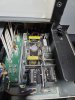
Took a while for it to get looked at but he couldn't find anything on the power supply. Although I did take it out and he was only able to check the capacitors and that but this wasn't plugged in. I'll plug it back in but don't know where to start to check for the 5 or 41 vdc output. Are you able to point me in the right direction?
I have a multimeter to check but don't have a schematic of the power supply.
Also, there was a mention of the power board where a lot of connected wires are plugged into and where the mains is plugged into.
Service tech here says its the main board after hearing the symptoms from a phone conversation.
 

Attachments

  • 20260112_222119.jpg
    20260112_222119.jpg
    1.5 MB · Views: 11

Tizz

New Member
Update:
Power supply is working fine. Guy at work tested it and all components are fine. Plugged it all back in and tested it under load and getting 5v and 41v. So power supply is ruled out.
Looks like its a component that is failing on the main board as it warms up. (
Printer fired back up and it ran through its initialisation and was able to do a few cleans, both heads and test prints were still ok! Was expecting to see poor results since it hasn't been on for almost 2 weeks.
So now I'm gonna have to pull the main board out and send it out for repair.

Question:
Will the settings or relevant information on the main board be lost when removed and repaired? Do I need to back this up somehow?
Thank you for your input.
 

damonCA21

Active Member
No repairing the board won't lose any information from it. There are limits to what can be repaired though. If the main chip is failing then you need to get a new board
 

Tizz

New Member
No repairing the board won't lose any information from it. There are limits to what can be repaired though. If the main chip is failing then you need to get a new board
Fingers crossed it's just some of the caps.
 
  • Agree
Reactions: 1 user

Tizz

New Member
Update:

After taking a short holiday overseas, I've taken the main board out and gave it to a local guy I found online, who repairs electronics, to have all the capacitors replaced.
Dropped it off 4pm Sunday, received a call by 7pm the board was ready to be collected! Total cost was $100 AUD parts & labour included. Only the large and medium size caps were replaced.
Put it all back together and triple checked I didn't forget any wires or ribbon connections, took my time and verified everything again for the 10th time.
Fired it up, printer ran a head clean, next was nozzle check and maintenance. So far so good, had a few nozzle drop outs but everything was still ok.
I ran the thing for a few hours, print & cut. It went to standby mode and printed again. All was ok, I left it again for an hour or so and when I checked again, led screen had frozen. Lights were on but no functionality from the control panel. Powered it down and up and left it overnight.
This morning, came out of standby and have been running non stop most of the day and no issues, it definitely has warmed up. Checked nozzles and all are firing, not going to mention the deflections on the K channel!

Thank you to all for your assistance and input.
 
  • Agree
Reactions: 1 user
Top