-
I want to thank all the members that have upgraded your accounts. I truly appreciate your support of the site monetarily. Supporting the site keeps this site up and running as a lot of work daily goes on behind the scenes. Click to Support Signs101 ...
You are using an out of date browser. It may not display this or other websites correctly.
You should upgrade or use an alternative browser.
You should upgrade or use an alternative browser.
Summa help, not cutting whole shape at the beginning
- Thread starter afro02
- Start date
-
- Tags
- summa cutter summa d60 vinyl

Fix for Summa- Not completing First Cut.
An Archive Thread saved my cutter: http://www.signs101.com/forums/archive/index.php/t-6483.html If your Summa is not completing the cut on the first shape, please check this tiny foam bump stop for the solenoid: I replaced mine and it worked terrific. It was hanging up on the screw, preventing...
 www.signs101.com
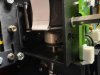
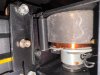
I found this thread. Can you highlight in the images where the foam is located? Thanks.

Daniel OTW
New Member
Its most likely NOT MECHANICAL, I have been getting this exact artefact on my SUMMA, it seems that certain line art or wireframe art (from Corel) glitches when I export it to the SUMMA software leaving missing spots and random jumps. The solution is to use a smart flood over the artwork to create a negative/positive space mask and export that rather than the line art. It works every time

CraftixDesign
New Member
I had the same problem with my T1400 Pro. Disassembling the entire cutting head just to replace the rubber or foam bumper is quite a hassle.
My solution was to design and 3D-print a small spacer tube that fits around the spring responsible for pulling the cutter back into its upper position. By adding this spacer, the cutter can no longer travel all the way up and reach the rubber bumper. Instead, it now stops about 1 mm before the highest position.
It's a simple modification, but it has been working well for me and saved me from having to take the whole head assembly apart.
BR,
Sascha
My solution was to design and 3D-print a small spacer tube that fits around the spring responsible for pulling the cutter back into its upper position. By adding this spacer, the cutter can no longer travel all the way up and reach the rubber bumper. Instead, it now stops about 1 mm before the highest position.
It's a simple modification, but it has been working well for me and saved me from having to take the whole head assembly apart.
BR,
Sascha
 )
)