• I want to thank all the members that have upgraded your accounts. I truly appreciate your support of the site monetarily. Supporting the site keeps this site up and running as a lot of work daily goes on behind the scenes. Click to Support Signs101 ...

graphicsphere

Custom Signs & Graphics
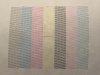
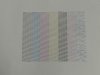
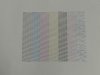
Trying to find out which order the colors of the Test Print are in for a Roland VS-540i so I can find out which color is missing nozzles to flush with cleaning solution.

Looking closely at my test print I think the Color Order is Light Black, Cyan, Magenta, Yellow, Black, Light Magenta and Light Cyan. I just need someone to confirm that it is my Light Cyan that is missing nozzles in my test print.

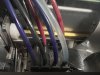
I have attached a picture of my test print and the view of my ink lines going to my dampers.

The cartridge order I have the printer setup with are Light Cyan, Cyan, Light Magenta, Magenta, Yellow, Black, Light Black and Cleaning Solution.

After I find which color is missing the nozzles do you think I should try flushing that ink line with cleaning solution then replace the damper and Cap top? What else should I do? Head soak?

Thanks,
 

Attachments

  • 49C8A1C0-E757-4682-BED0-68C64A4F6F60.jpeg
    49C8A1C0-E757-4682-BED0-68C64A4F6F60.jpeg
    2.1 MB · Views: 651
  • B8FCCB8B-8B08-4FEF-8923-016C5CC59100.jpeg
    B8FCCB8B-8B08-4FEF-8923-016C5CC59100.jpeg
    534.3 KB · Views: 350
Trying to find out which order the colors of the Test Print are in for a Roland VS-540i so I can find out which color is missing nozzles to flush with cleaning solution.

Looking closely at my test print I think the Color Order is Light Black, Cyan, Magenta, Yellow, Black, Light Magenta and Light Cyan. I just need someone to confirm that it is my Light Cyan that is missing nozzles in my test print.

I have attached a picture of my test print and the view of my ink lines going to my dampers.

The cartridge order I have the printer setup with are Light Cyan, Cyan, Light Magenta, Magenta, Yellow, Black, Light Black and Cleaning Solution.

After I find which color is missing the nozzles do you think I should try flushing that ink line with cleaning solution then replace the damper and Cap top? What else should I do? Head soak?

Thanks,
Your cartridges & ink line positions are the same as mine. Yes, it is light cyan that you are missing. I don't know a whole lot about how to fix but it looks to me like either a damaged print head or dried out ink. From what I have read on the subject, your line of thinking for possible fixes seems reasonable. Hopefully someone with more experience can also chime in here.
 

netsol

Premium Subscriber
i know what i would try, having salvaged quite a few "bad" heads.

take a postagevor kitchen scale and figure out how much ink is in that cartridge
( weigh a full cartridge, weigh an empty, calculate how much ink is left.
add 5% acetone to the cartridge with a syringe
agitate cartridge
many people tell me this is not advisable but we have had very good luck.

adding more acetone can certainly be dangerous
 

graphicsphere

Custom Signs & Graphics
I ended up replacing the cap top then I plugged the drain line that is at the end of the drain bottle then filled the new cap to the top with cleaning fluid and let the head soak for 3 days. Then after I unplugged the drain line and did another cleaning and the new test print was almost 100%. I attached a picture of my new nozzle test after the head soak.

After I did some more printing I did some block printing of just light cyan which is the nozzles I was missing in the test print before. So after I did that I did another test print and the light cyan nozzles are starting to disappear again. So now should I try to replace the damper or what else would you recommend I replace.
 

Attachments

  • 1F828FA0-7DF7-4275-A8F6-50A89CB5DF49.jpeg
    1F828FA0-7DF7-4275-A8F6-50A89CB5DF49.jpeg
    2.6 MB · Views: 297
  • 78FE1FC4-6C19-4305-9816-2EB205E1BF4A.jpeg
    78FE1FC4-6C19-4305-9816-2EB205E1BF4A.jpeg
    2.1 MB · Views: 297
Top